


Upcoming Events:
🎙 Talk: Design with Multiple Agents on a Canvas | Nov 10
🛠️ Workshop: Claude Code for Designers | Nov 19
🏫 Course: AI for Product Designers | Dec 1 - 17
Happy Halloween! 🎃
Recently, I hosted Patrick Morgan, a staff product designer at Sublime Security and the author of the Unknown Arts newsletter.
While exploring how AI could support the design work at Sublime, Patrick built an internal prototyping sandbox that became central to how the team explores and refines product ideas. He then built an open-source version, Design Studio, so other teams can set up the same approach.
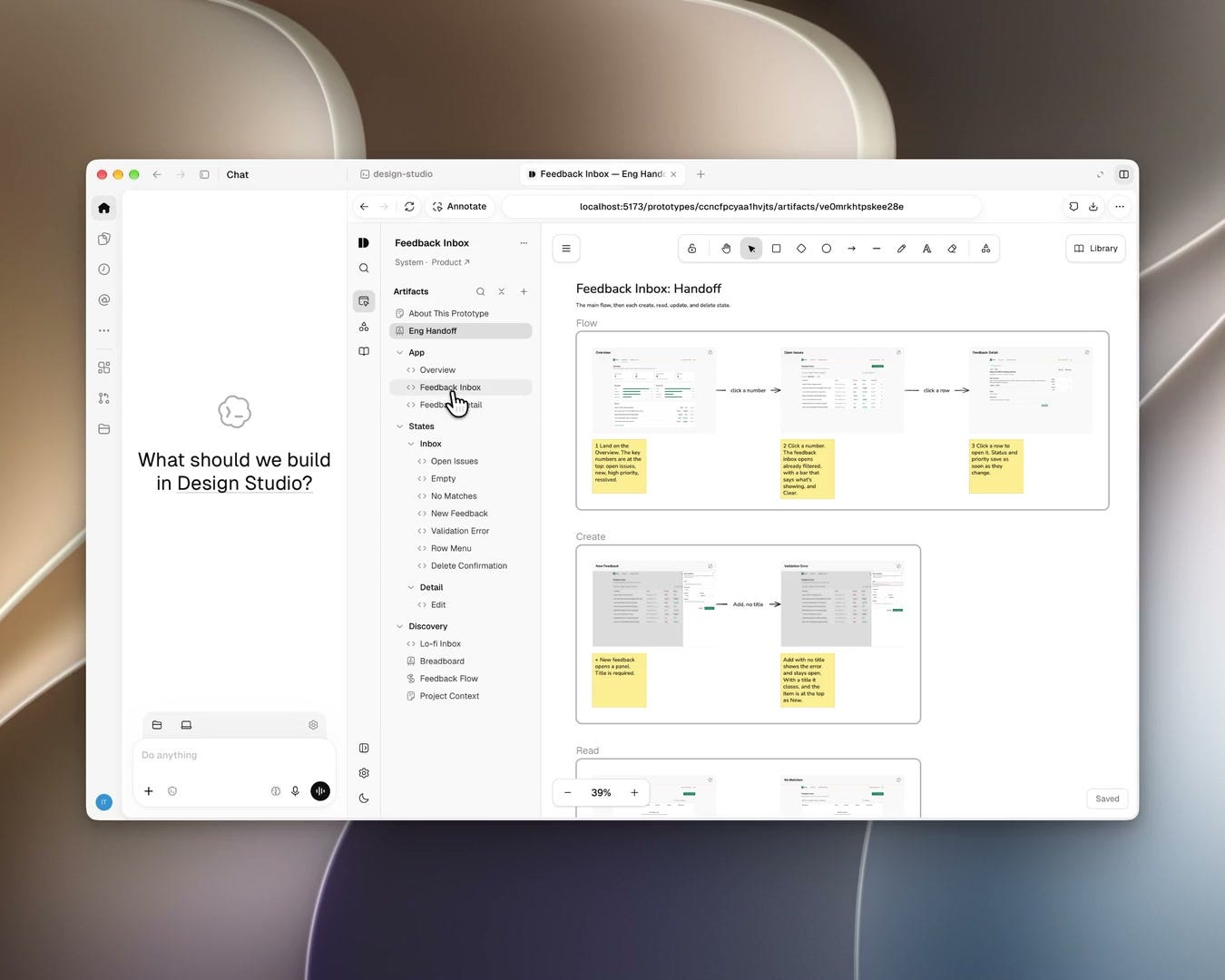
Today's newsletter is a condensed version of our talk, packed with practical insights on how to build a code-based prototyping environment.
By the way, Design Studio is free and open source, and you can try it today. If you've been wanting a shared prototyping sandbox for your team, definitely check it out.
Let's get started.
X stands for Xinran, and P stands for Patrick.
You can watch the full talk recording here.
Why build a design sandbox?
X: What inspired you to build Design Studio in the first place?
P: I feel like there are two ends of the spectrum when people talk about prototyping. On one end is where I was at the end of last year: lots of one-off prototypes in Claude Code or v0. Those are great, and they serve their purpose, but they had some problems. They're very disconnected from any real context, and I felt like I was constantly starting from scratch.
Maybe more importantly, I don't want to be locked into any single AI provider. I want my design work to come with me. With how fast models and agent harnesses are changing week by week, I want the flexibility to bring my designs to whatever is working best for me that week or month.
On the other end, people often ask: why not just prototype in production? There are moments for that. But I'm a product designer at an enterprise cybersecurity company. A lot of the constraints that are good for shipping a big app at scale just get in the way when you're trying to move fast, stay flexible, and be really divergent.
So I set out to find the sweet spot between those two ends. Design Studio is a codebase that you own, which gives you durability over time, but it's fast and flexible enough to give you space for the divergent design work we know we need to do to make the best products.
From one folder to a team platform
P: The humble beginnings were at the end of January. I'd been making things in Claude and in v0, and my first intention was really small: can I just bring them into one place and start to build on my work over time?
My teammates were making their own prototypes too. So could I bring them into the loop? Could we build in one shared place that gives us a foundation to compound our design thinking over time?
My very first attempt was basically a few screens I'd made in different tools, pulled into one folder. That was day one. But at least they had a home, and that was where I wanted to start.
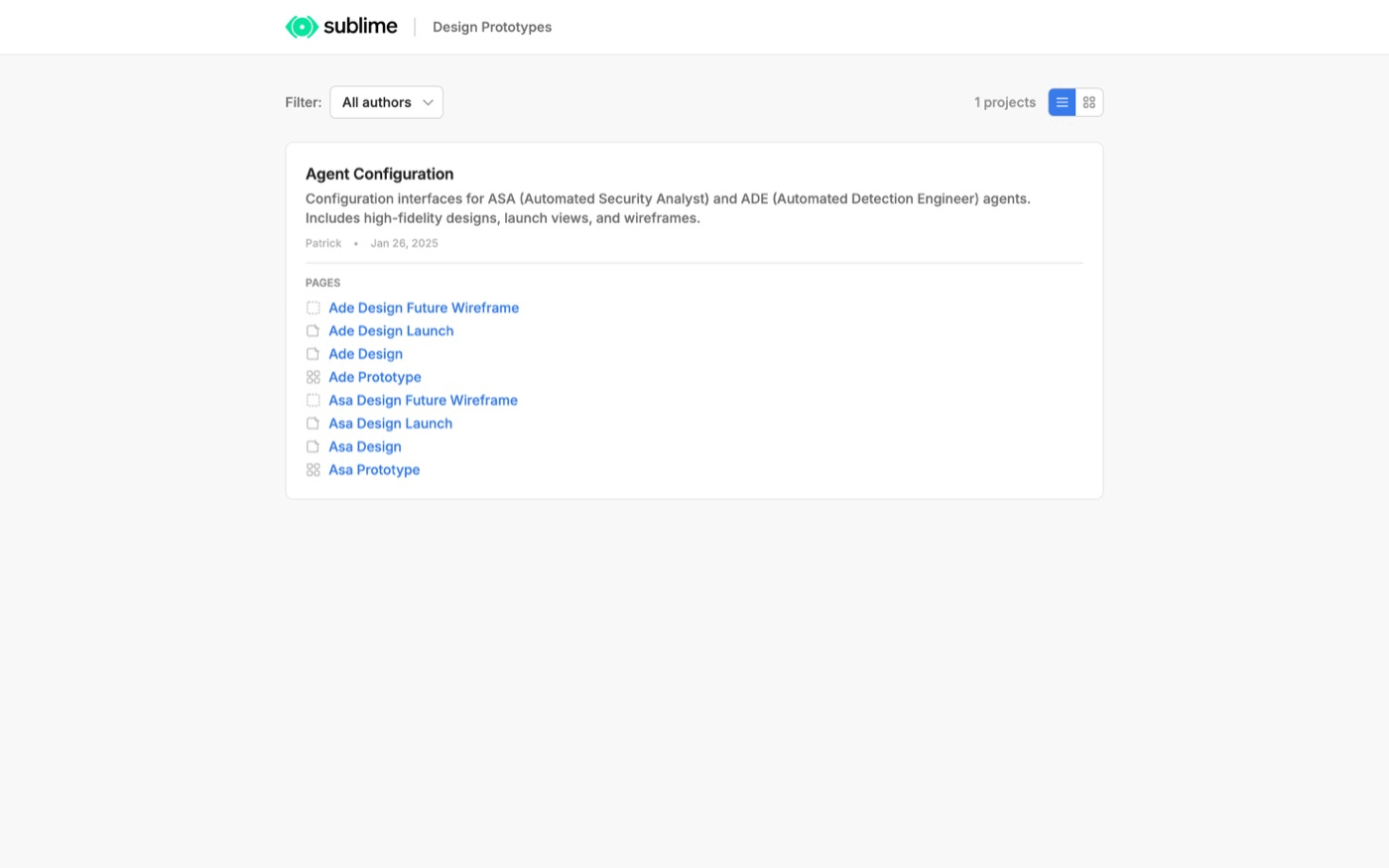
From there, there were a lot of iterations. More contributors joined. We came up with the concept of brand tools that we needed to ship to the team. With even more contributors, I needed more organization so people could find their prototypes. Then we added design principles and design systems, so I moved to a persistent navigation.
Today, we have a global nav with our main jumping-off points and an index of all the team's prototypes, from product managers, creative design, and product design. Multiple prototypes are being created almost every day now.
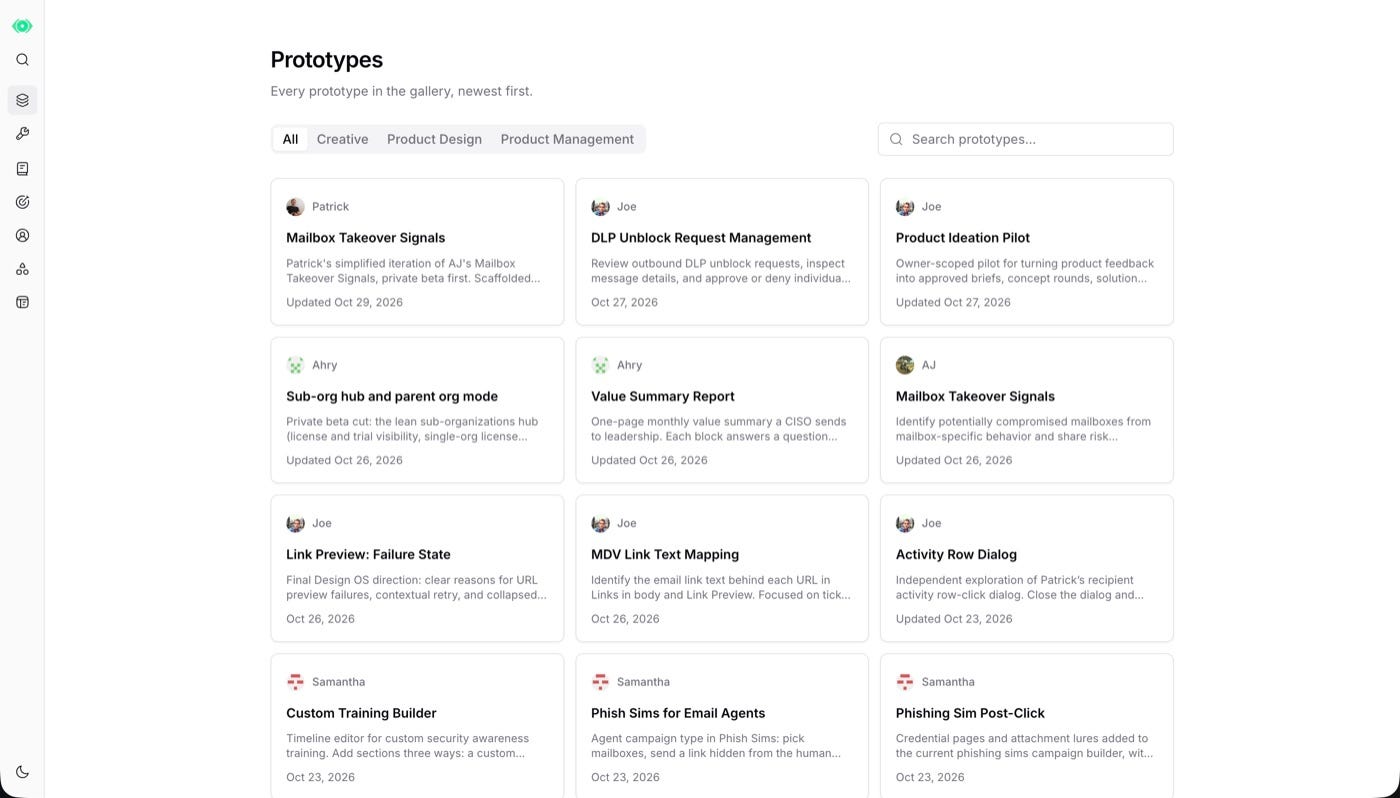
We're a small but mighty team, a mid-size startup. We're not a big AI lab, and we're not a micro company either. I think we're fairly representative of a lot of design teams out there, so we had to figure out how to make this kind of environment really work for designers and PMs prototyping together.
What goes inside a prototype
P: I started out with code views rolled up into folders. They're all just React views under the hood. But as I started sharing them, I felt like I needed to share more context with the team too.
So I introduced a document, which is just a Markdown file. That lets me bring in context from the team, like a design brief from a PM, or documentation later in the process.
Then I brought in a canvas, built on Excalidraw. I use it a little differently from how I used a canvas in the past. I'm not doing pixel pushing so much as low-fidelity sketching, diagramming, or using it as a documentation and comparison tool. All the views on the canvas are the real React code views, which I can organize, annotate, and group to share with the team.
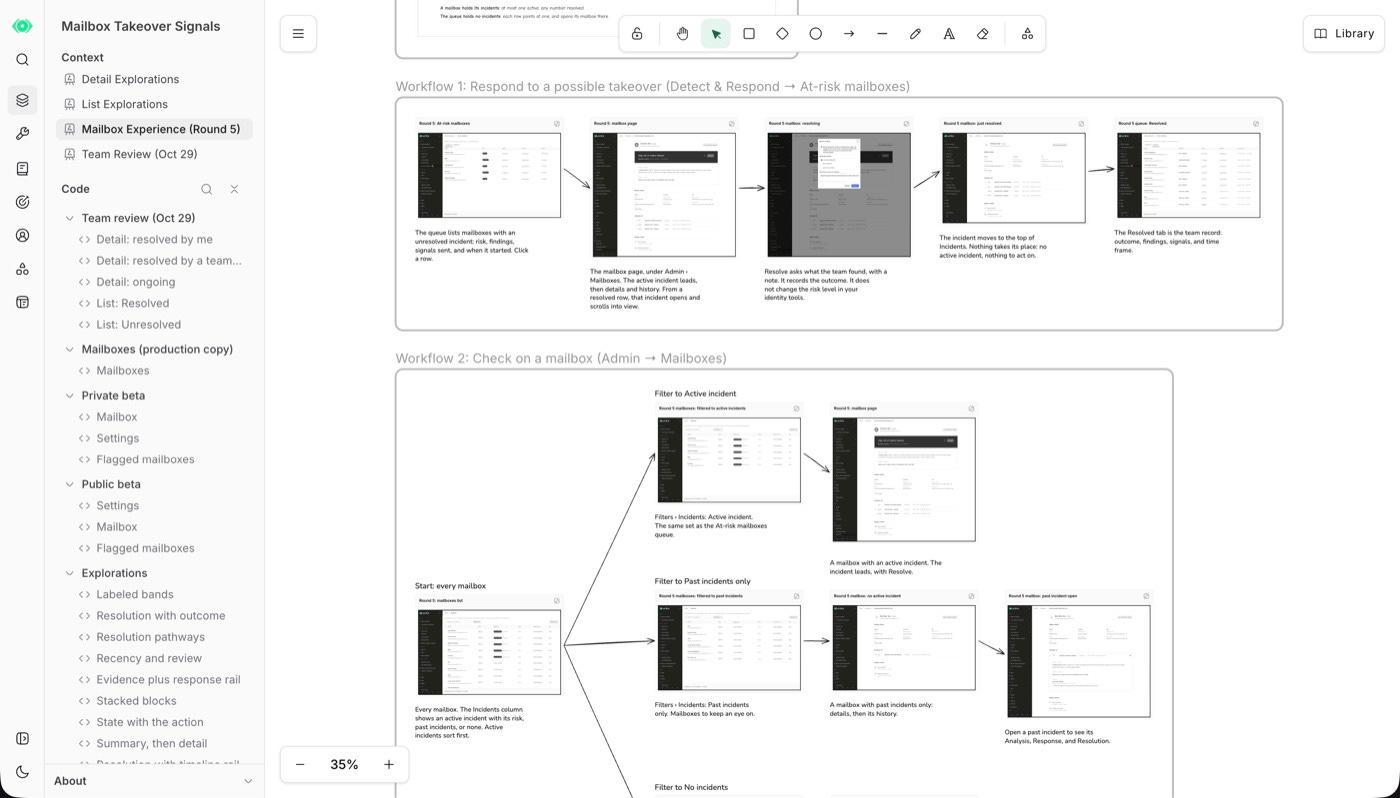
I also played around with levels of fidelity. I always liked Balsamiq mockups, that old-school UX tool. There's something really powerful about prototyping in code but in low fidelity: I strip out all the color and put in the cheesy handwritten font. It makes it very obvious that this is not a design to ship to production. And I can toggle back and forth with one click.
Canvases use Excalidraw, diagrams use Mermaid, documents are Markdown, and views are React and TypeScript. They're all open file types, so the work is portable.
Bringing in the real design system
X: How did you connect the sandbox to Sublime's actual product?
P: My first attempt at a design system rollup was really just so I could grok what was in the environment, because I was designing the environment itself while also setting up a wireframing capability and the official brand theme.
Then I worked with Claude Code to port over components from production. We went through them one by one and brought each one into this environment. There's also automated documentation that comes along with that, very Storybook-esque, but not officially Storybook.
We also brought in other assets for the team. Our product design principles now live in the environment, and both people and agents can reference them. So I can ask my agent to run a design critique using our design principles, and it will evaluate my designs and give feedback based on the principles we're aligned on as a team. We brought in our personas too, so the agent can use them to inform designs.
These days, I've done a lot more work to align what's in the prototyping environment with our production components, and with their representation in Figma too.
Letting agents do the work safely
P: From day one, my intention was for Design Studio to be 100% driven by the agent. I want the agent doing the work, and I want to act as a creative director, guiding it and having it operate on my behalf.
Whether it's Claude, Cursor, or GitHub Copilot, every agent reads from one central entry point, the AGENTS.md file. Then there are layers:
Context the agent needs every session, like how the design systems work, levels of fidelity, what I mean by a prototype, the prototype workflow, and who the contributors are and how to scope their work so it doesn't conflict
On-demand context. If you aren't working with a canvas, the agent doesn't need to load the instructions for the canvas
One-off procedures and skills, like setting up a new contributor or running a design critique
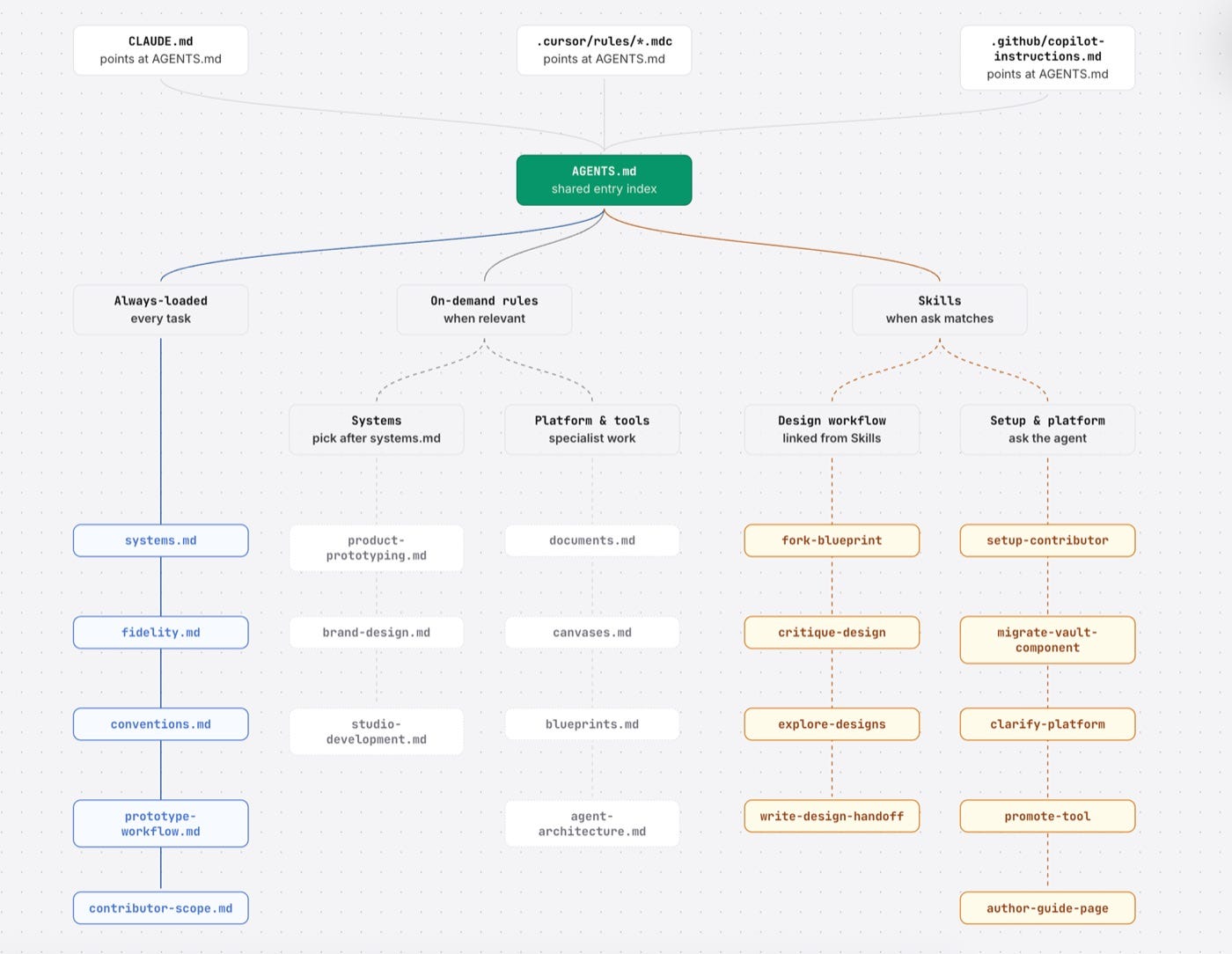
For safety, my rule of thumb is this: I want product designers to move fast, get their thinking out, and share it with the team. That's essential. But I also don't want people breaking things other people depend on, which is tricky in a code platform.
So every contributor gets their own folder. As long as I'm working in my own folder, I can proceed with confidence that I won't break anything anyone else needs. The agent understands who you are from your Git identity and scopes your work to your protected space. You can contribute to other parts of the platform too, but that goes through some review.
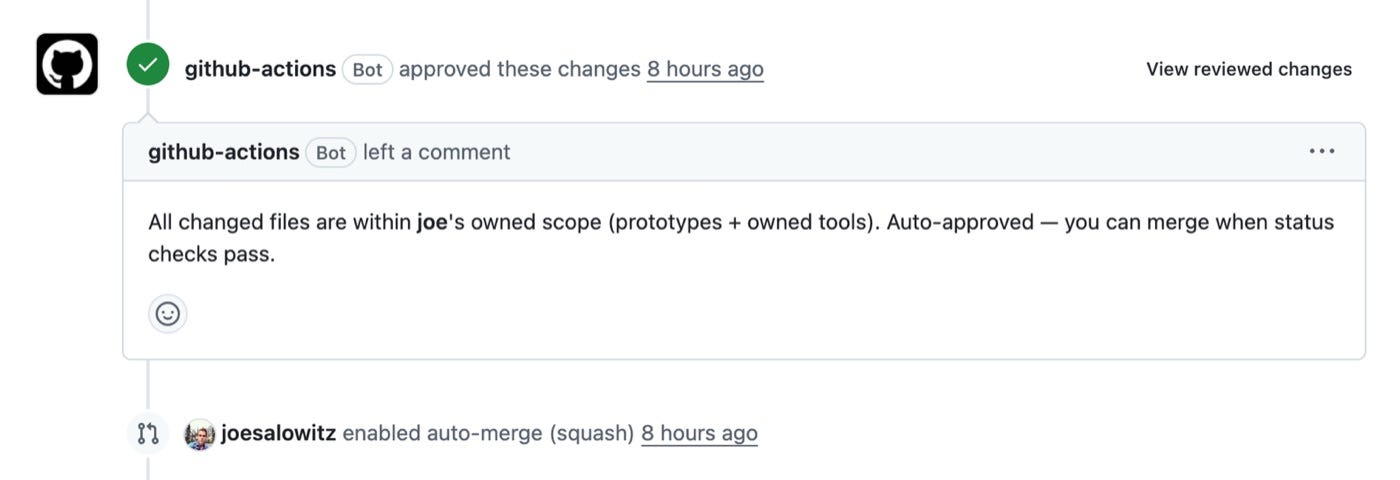
On top of that, the main branch is the production branch, so there are protections to stop people from pushing directly to it. The agent runs local checks to understand who it's working with and where, and the same checks run whenever someone pushes code.
Here's how that looks in practice. My teammate Joe pushed up a pull request, the checks ran, and they confirmed all the changed files were in Joe's scope. So it was auto-approved, and Joe merged it right away. We get the protections, but people still move fast and on their own terms.
Demo: Design Studio
P: Design Studio is designed to work in your agent coding harness of choice. I'm demoing it in Codex today, but it works the same in Claude Code, Cursor, or really any other one you like. That also means you get all the great design annotation tools built into those harnesses, so I don't have to reinvent them.
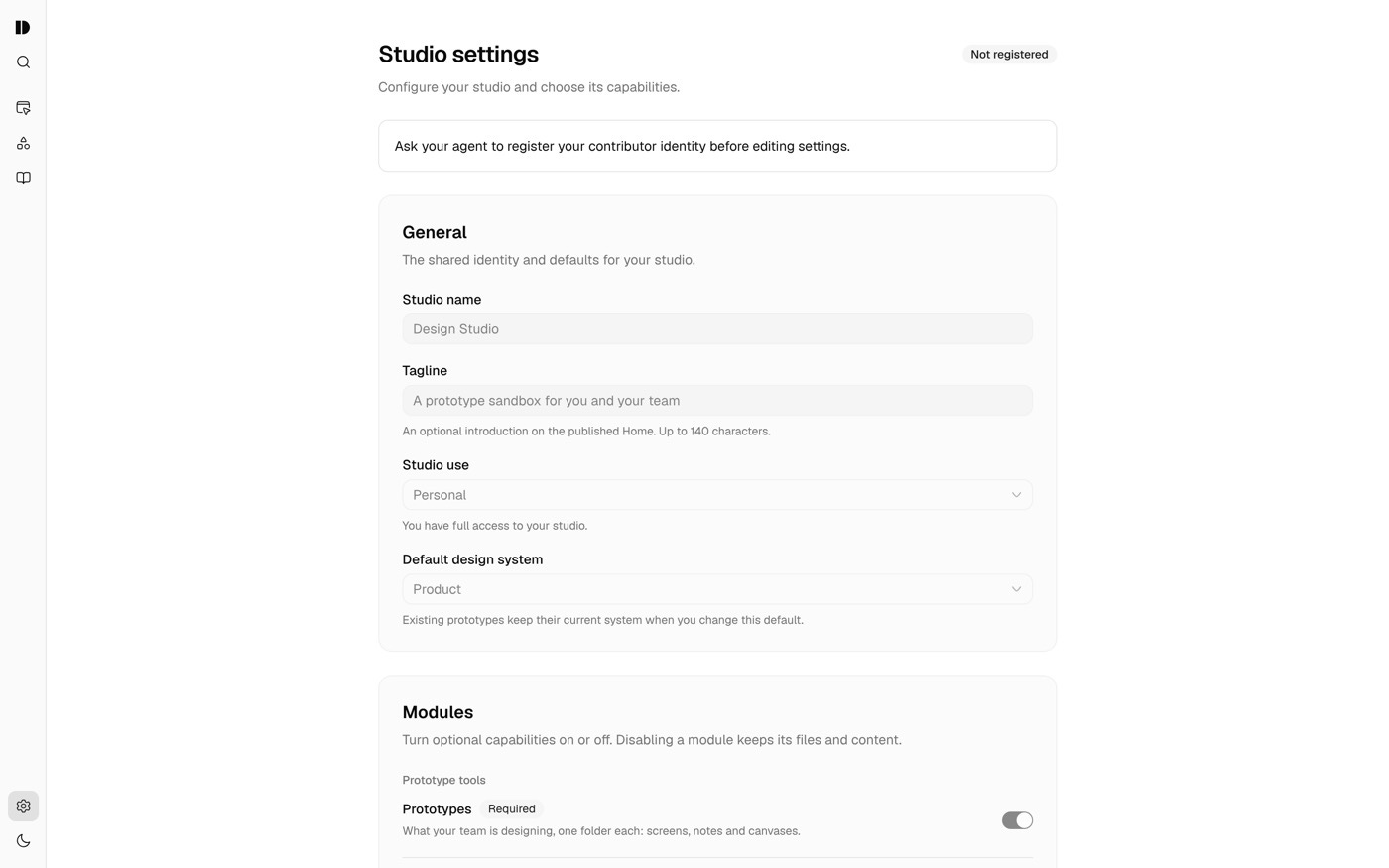
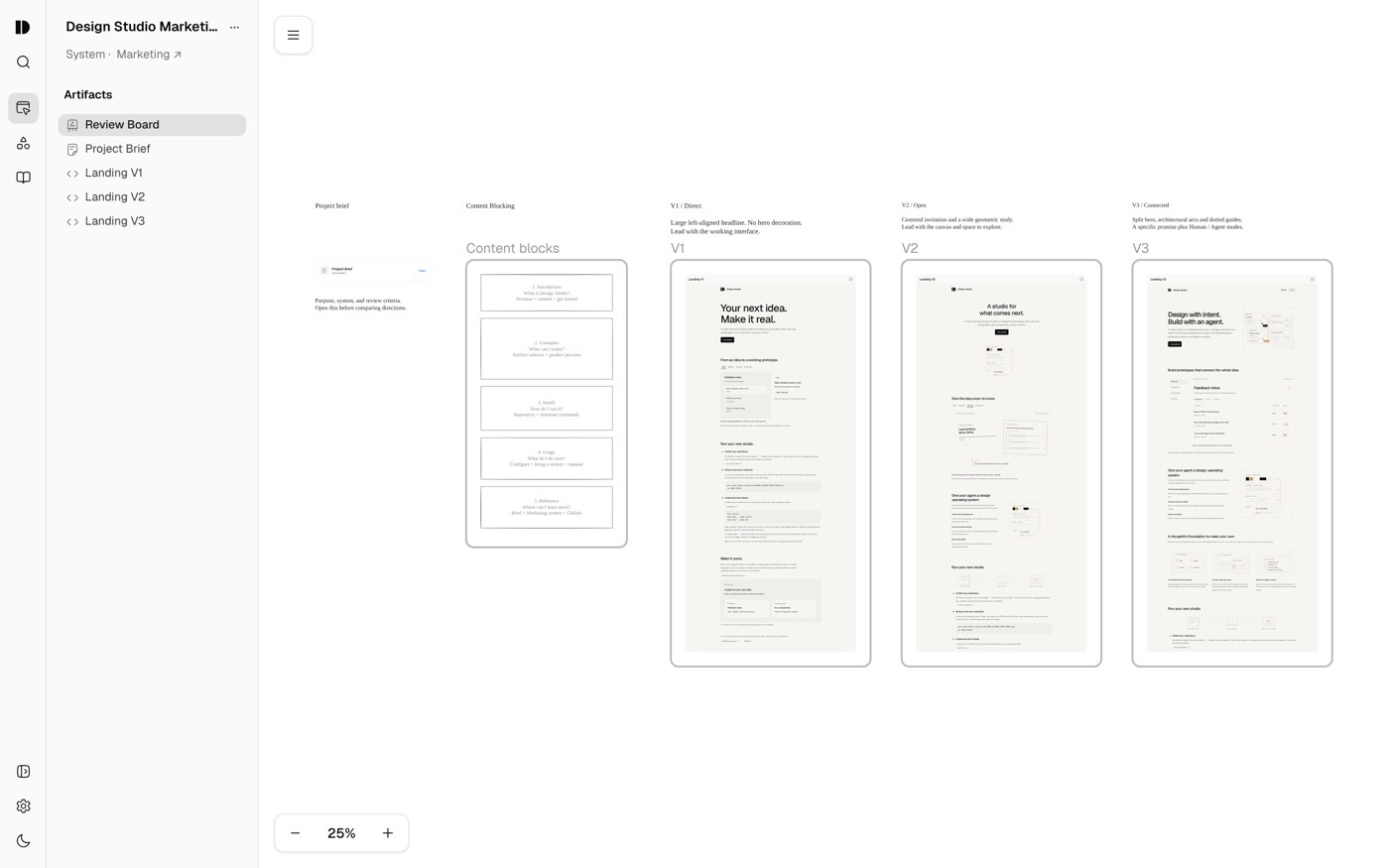
When you land in Design Studio, there are really two concepts: you can build a design system, and you can build a prototype.
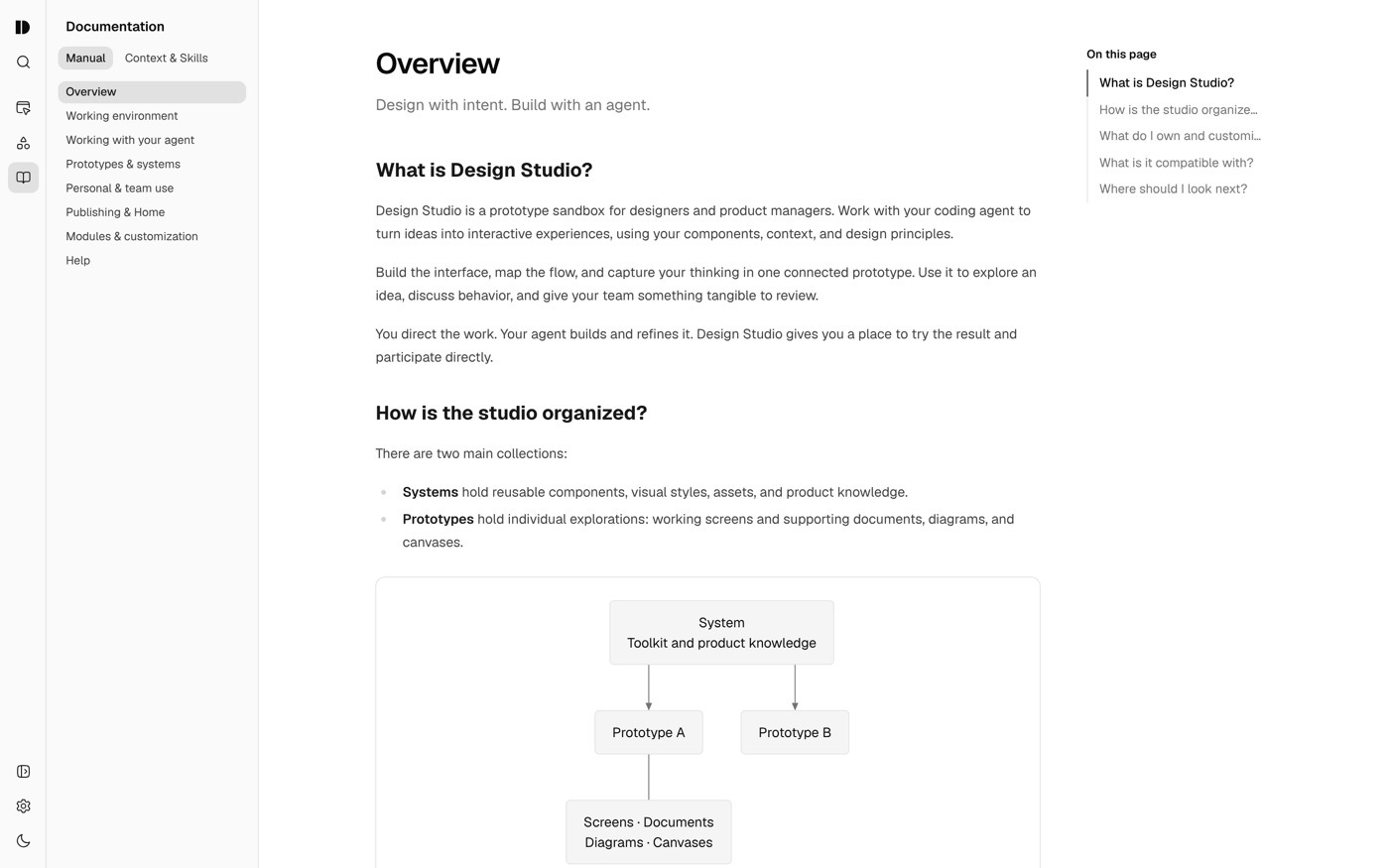
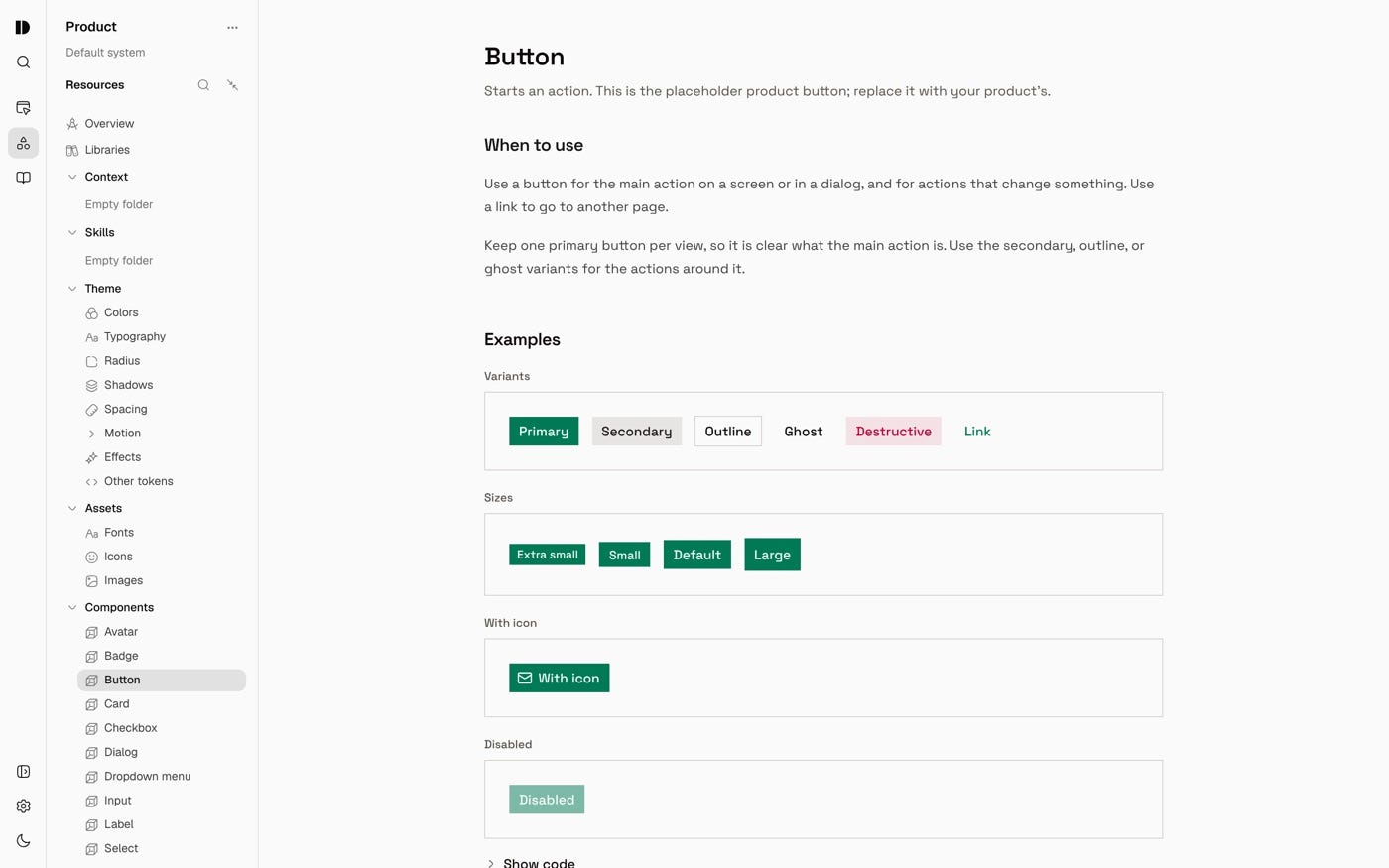
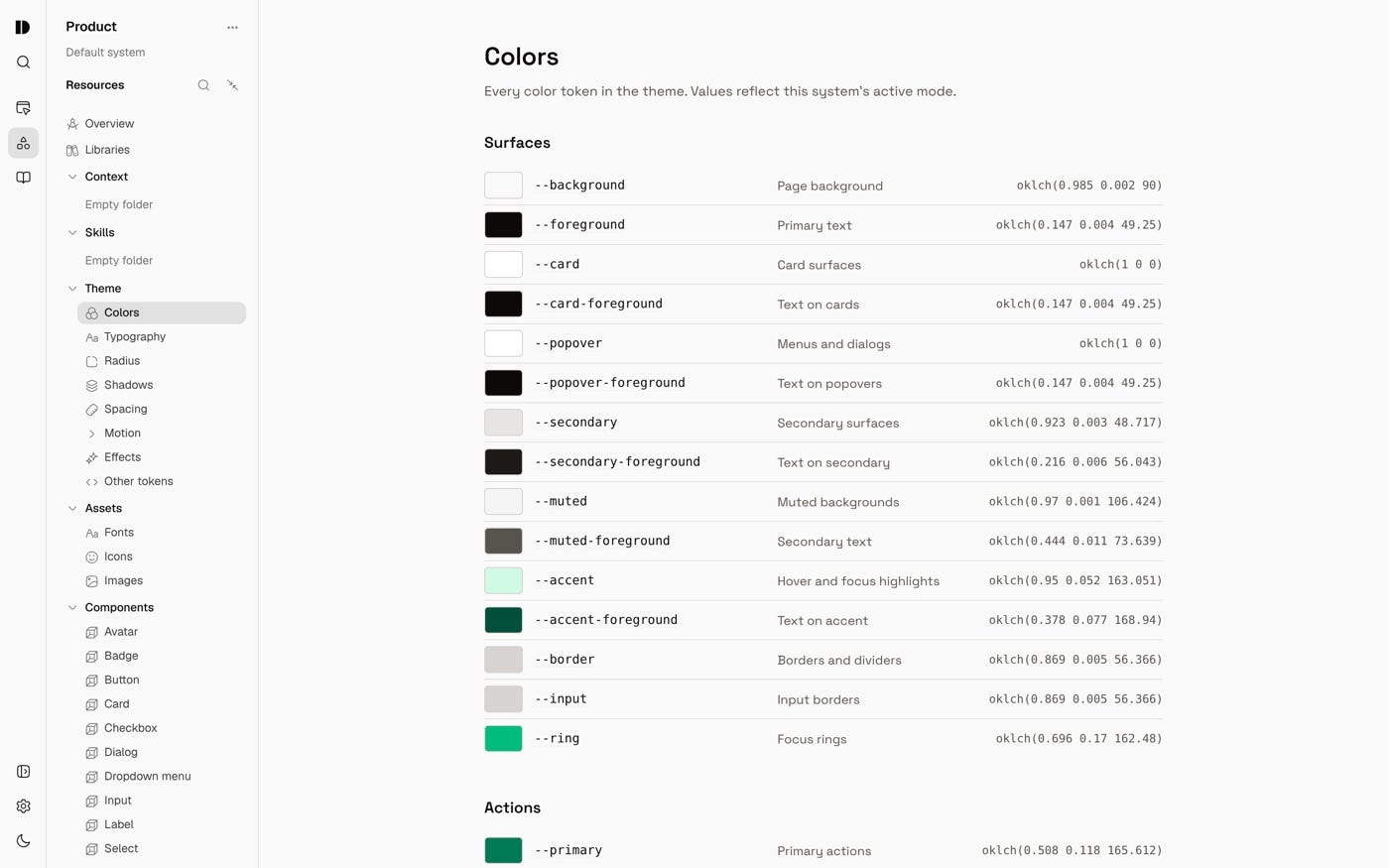
Within a system, you get a dashboard that rolls up the context and instructions for your agent, plus the standard design system stuff: components, theme tokens, image assets, fonts, and any external libraries you're pulling from, like shadcn/ui and Lucide icons. As you build a system out with the agent, it builds these documentation pages for you.
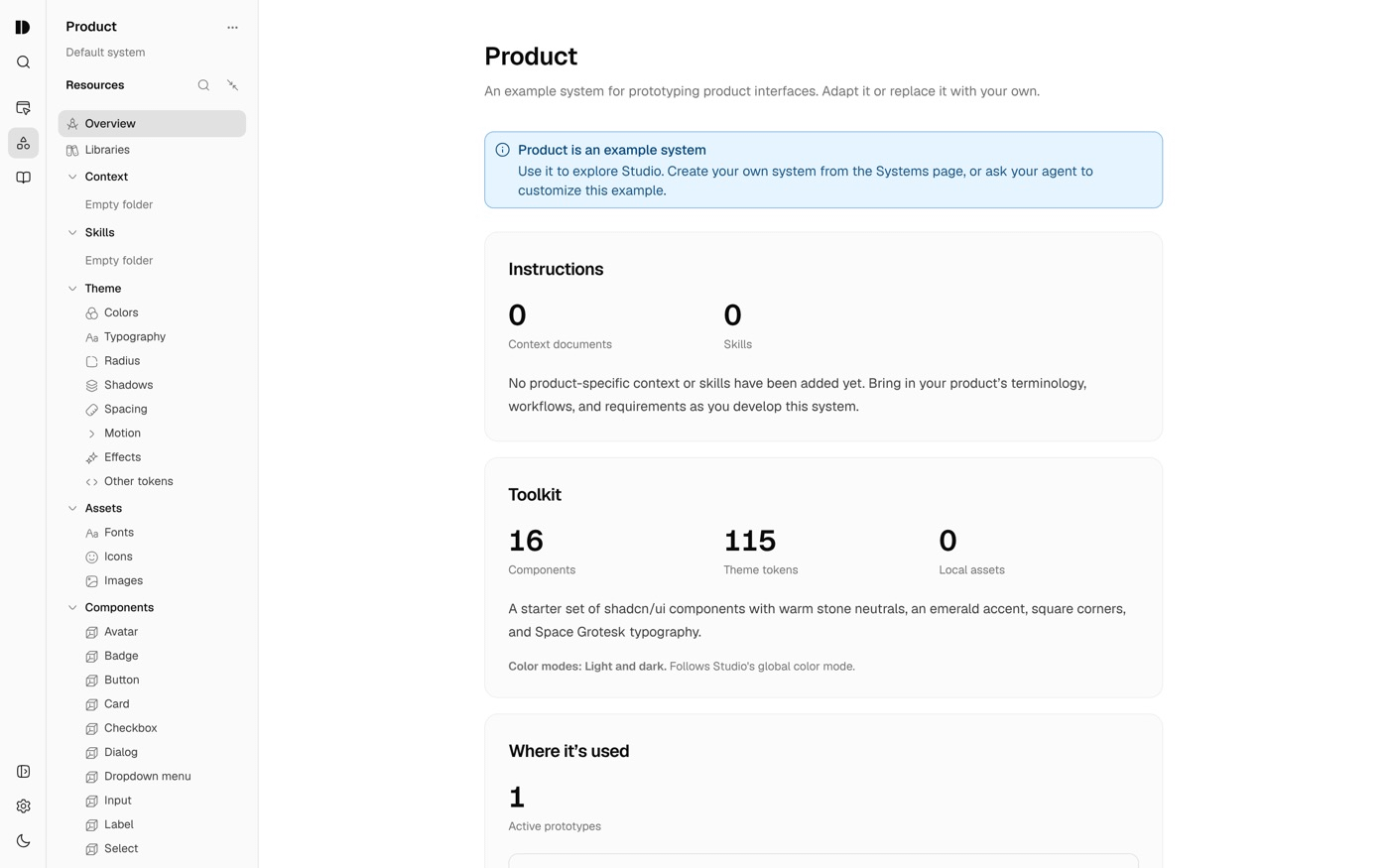
Prototypes then use those systems. Inside a prototype you can add a canvas, a diagram, a document, or views, and you can switch any of them into edit mode to change them in place. You can click through the full interactive prototype, organize its states in the nav, and flip any view to lo-fi with one click.
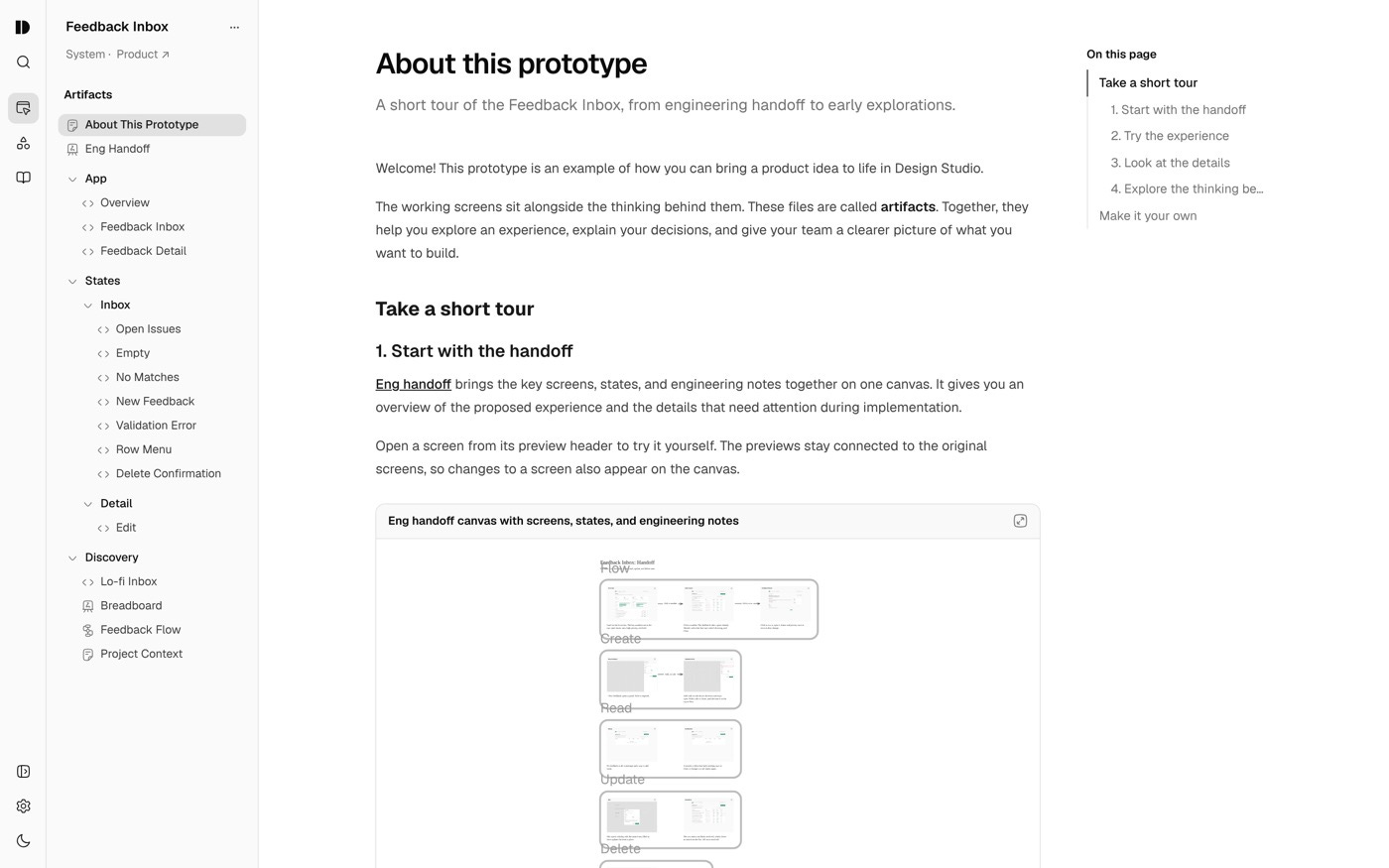
For anything in Design Studio, you can just ask your agent and it will understand. But to show the UI, I'll create a new prototype using the product system. You start with an empty view, because you're not going to build code views yourself. You ask your agent. I almost always start by dictating:
"We're building out a new demo prototype called demo. I want it to relate to our feedback inbox prototype. We designed the experience for internal triage of feedback coming from customers, but we didn't cover the form for the customer to actually submit that feedback. Help me think through that idea, maybe create a diagram to walk through the steps a customer might go through to find and submit that form, and set me up a canvas so we can think about how that will work."
X: While we are waiting for the result from this demo, I have a question: if I have nothing set up in the design system, would it create something by default, or do I need to set up a system before creating a prototype?
P: There's an option for no system. So it doesn't need a system. It can create whatever bespoke stuff it needs in the context of the prototype. Once you set a system up, you'll probably use it most of the time, but if you want to go totally from scratch, you can. A system just makes things available to prototypes.
X: Okay. Another question. Let's say a team wants to start using this from scratch. What would be the first step you recommend? I'd assume I'd give the sandbox our design system's code repo and ask it to fill in the template accordingly.
P: Totally. If your first intention is to set up a system, you go into Systems and create a new one. It scaffolds the files and folders on your machine, so all of it is visible to you. From that empty scaffold, there are two pathways: curate a system from shadcn, which is what I used to build this tool, or bring your own.
I've set up walkthrough steps to help you write an effective prompt for the agent, because the agent can analyze your existing codebase and make a plan for bringing it into this structure: migrating your components, themes, and assets.
I do want to call out the tech stack. I've had to keep the scope focused for my one-person team, so this is built around TypeScript and React, which is what my team needs. If your stack is very different, your mileage may vary. But as long as you're working in React, the agent should be able to guide you in structuring a system you can apply to any of your prototypes.
X: Looks like Codex is done. What did it make?
P: Based on our original request, it made us a fairly detailed Mermaid diagram, and since these are all text files, I can drop in and see the actual Mermaid code that powers it. It put the diagram on the canvas, linked our design brief there, and proposed starting with signed-in customers accessing the form from the help menu. Then it went on to make a little wireframe and offered to turn it into a higher-fidelity flow.
And for anything in Design Studio, you can say "show this to me in Finder." Here's my prototype.tsx, my Mermaid diagram, my Excalidraw file, and the brief. They're all portable files you can bring anywhere.
(You can watch the full demo in the talk recording.)
Audience questions
X: Let's get to the questions from the audience. The first one: are the contributor folders like their own branches?
P: They're not branches. They just help scope the work, which reduces how much you depend on branches to make sure people's work doesn't collide. As long as I'm working in my part of the codebase, I can make whatever changes I want with a very high degree of confidence that nothing I change will impact what's happening in someone else's folder. It doesn't remove the need for branches for more typical Git workflows. It just gives you that extra degree of certainty.
X: Next question: what's the relationship between Design Studio's design system components and Sublime's production components? What's the workflow for iteration?
P: They're basically copies of each other, not pulling from one source. In the past, that would have really freaked me out, because it sounds like a lot of extra maintenance. But in practice, that fear is kind of unfounded now, because I can have the agent look back and forth between the environments and translate for me.
Where I've created alignment is at the component API level: the props of a component and its visual styling. Depending on the component, there might be things you need in production but not in a prototype. Forms are a good example, where specific form logic needs to exist in production but not in the prototyping environment, so you might remove it. In general, I aim for alignment on props and baseline styling, and I have the agent run parity checks for me.
X: Was there any kind of "grill mode" planned before the prototype was created, so the agent could gather all the information it needs by asking you questions?
P: No, I think that's really on me. If I want to use the agent as a thought partner, I just come into the session and say: help me dig into this, and help me do some technical discovery. At Sublime, I have both the production repo and this repo pulled locally, side by side on my hard drive. So I can ask the agent to go look in the production codebase, help me understand a system, and put that into my prototype as a diagram.
There's no official grill mode. That's where we lean into our own judgment and intuition as product designers, knowing when to investigate and then directing the agent to help create the artifacts that represent that thinking. But the agent is definitely capable of it if you direct it to.
X: Alight. Next question: how boxed in are we to the design system kits listed as options? I'm working from a heavily modified version of ShadCN with lots of custom tokens and components, so the underlying design system would need to be quite extendable.
P: 100%. That's similar to my environment at Sublime. We use some underlying primitives from Radix, plus a lot of custom components and tokens. A system is just a scaffold, so you can put whatever you want in it, as long as it meets the expectations of the file structure. It doesn't care that it's heavily modified shadcn. I only added the pathway to curate directly from shadcn for people who don't already have a system and want to build one from scratch.
X: Would it also work in Angular instead of React?
P: The answer is, I don't know. I haven't worked in Angular in a while, so I haven't been able to test it. But try it out. Part of the beauty of this being open source is that I want you to extend it and customize it. The code is fully yours. If you make an Angular version, or it just works, let me know, and we can make it work for more environments together.
X: Next question: what were the biggest hurdles getting this stood up? Any major enterprise tech blockers?
P: The local setup is super simple and fast. You can get it running in a couple of minutes. But if you need access to the way your company deploys things, that's more of a relationship-building thing. We already used Vercel to deploy some things, so I needed to make my case for Vercel access to deploy this project.
The good thing is that it's intentionally front-end only, with no backend. That really reduced my ask of the tech and security teams, who were wondering whether designers should have all this access to technical infrastructure. It just deploys a static site. There's no added security vector and no database to hack. I did that intentionally because front-end only suits this type of environment really well, but it also lowered the hurdles of requesting access.
X: Okay. Next question: what did this tool solve for you and your team? Was there any resistance to using it?
P: No real resistance, honestly. At first it was just an experiment for myself, and the only reason I kept developing it is that people kept asking me for it. It started with me and a couple of product designers. Then the brand design team asked for access for their use cases, and then the product management team did too. It's grown very organically.
The only challenge is communicating how it fits alongside everything else you're doing. It's not meant to be the be-all and end-all of design tooling. I can do a lot of my workflow through it now, but I haven't abandoned Figma. I still use Figma for stuff. Gathering feedback and collaborative tooling are essential parts of the design workflow, and this is a local environment. You can get a share link, but not collaborative editing in the browser at the moment. So just let it be good at what it's good at: prototyping with code, sharing those prototypes, and letting your team centralize and build on each other's work in one environment.
X: Can you import a design system from Figma?
P: That's another one I don't know, because I haven't tried. I went the reverse direction. I pulled components from Sublime's production environment into the prototyping environment, then worked backwards by having the agent build me a library in Figma that's connected to the environment. Our team didn't have a great Figma component library to begin with, and I wasn't about to make one manually from scratch these days. I'd be curious to learn from you.
X: Is there any upfront training for a team to learn how to use this? For example, for someone who doesn't know about commits, merges, pushes, and so on.
P: For my team, I really went person by person over time, so there wasn't a single upfront training. I was learning as I went how to refine the system to make it easier for people to set themselves up.
The agent is very adept at handling the core Git workflow for you. Outside of knowing some terminology, you should basically never have to run Git commands yourself. If you say "pull the latest work," it knows how. If you want to publish your work, it makes a commit, puts it on a branch, and opens a PR for you. I've tried to abstract those mechanics out of the workflow as much as I can, though there's still some foundation people need to pick up. I'm happy to do more training on this going forward.
X: Next question: does Design Studio connect to your internal knowledge management or team documentation, like metrics, dashboards, and research?
P: Our team uses Notion for basically everything, and there's no clear connection at the moment beyond share links to published prototypes, which can live back in Notion. I actually did some work on research artifacts and analysis in Design Studio, then realized it was better suited to living in Notion. I'm still figuring out what deserves to live in Design Studio versus other systems, frankly.
There are no official connectors. But internally at Sublime we use Claude, and Claude has our company connectors to different systems. Because Claude works with both Design Studio and those internal tools, it can pull together internal research or knowledge and help me synthesize it into something I can translate into a prototype.
X: How do we deploy and share?
P: The key thing to know is that Design Studio builds into a static site, and a static site can be deployed by just about any host: Vercel, Cloudflare, GitHub Pages, Netlify. That's intentional. It's really up to what your team uses. If you're operating solo, you have free range.
X: How did you pitch this internally? And how much of your full-time work is dedicated to it?
P: How did I pitch it internally? I didn't. I just did it. I only pitched it once I had a working demo to show people.
How much of my full-time work goes to it? Zero percent. I still work full time as a staff product designer, and I'm leading multiple teams at the moment. I built this because I wanted it for myself, and once other people started asking for it, I made it into something they could use too. It's a passion project.
X: That's great. Next question: does it handle versioning, like if we ever need to refer to an older version of a prototype?
P: It's just a codebase, so if you set up Git, you're using Git for versioning. For tracking older versions of a prototype, I handle it a little differently than you would in production. Say I have a feedback confirmation view and I want to make multiple iterations of it over time. I just ask the agent to make another revision, track it as another file, and move the old one to an archive. Making copies in Design Studio doesn't hurt you, so you don't need multiple branches or versions in the history the way you would in a standard dev environment.
X: For the sake of time, last question: how do you keep mock data consistent across screens as the prototype grows? If I add a record on one screen, how does it update elsewhere? Do you use shared seed data and local state, or a simple backend like Convex or Supabase?
P: That's really up to you. By default, I keep all the data local within a prototype, so each prototype sets up what it needs. If it needs a mock data structure for that scope of work, the agent creates it locally in that prototype. If you want something more globally available, ask the agent to build it into the platform level of the codebase and make it available to all prototypes. I haven't had that need, so I haven't set it up by default, but you could for sure.
Try Design Studio
X: For anyone who wants to try Design Studio, where should they start?
P: There's a landing page on my personal website that gives you the overview, a live demo you can check out, and the installation instructions. If you just want the code, the GitHub repo takes you straight to the source.
If you get some value from it, star it and share it. And if questions come up, I've set up GitHub Discussions, which is like a little question forum. Drop in, ask your question, or just share what's working for you. Those are all really helpful.
X: Thank you so much, Patrick, and thank you for open-sourcing this. Thanks, everyone, for joining and for all the great questions.
I occasionally host talks like this, so if there’s a topic you’re interested in, let me know on LinkedIn.
Have a great rest of your day!
That's it for this week.
See you next time.
Xinran
-
P.S. I’ve written a book. It’s about the parts of the journey I rarely talk about here: three hundred applications, sixty-nine subscribers, and the night I told my wife I was leaving my corporate job. More on it next week.
Putting the design principles inside the sandbox, so an agent can run a critique against them, is the part I'd underline. Most teams keep principles in a deck nobody opens, and the moment an agent has to apply them you find out which ones are actually testable and which are just nice words. I see the same thing in brand work: writing rules an agent can follow is the fastest audit of your guidelines you'll ever get.
Not wanting to be locked into any single provider is why the sandbox is a codebase rather than a saved chat session. Most prototyping work right now, I'd expect, lives inside whichever agent made it, so when a faster harness ships, only the screenshots come with you. Owning the codebase is what buys that portability; the model underneath is swappable.
Not prototyping in production is the harder constraint, though. Enterprise teams mostly have the AI tools already. What tends to be scarce is a space with enough slack to diverge before production guardrails kick in. A sandbox that persists but sits outside the main codebase is a structural answer to that.