


Last week, I interviewed Ayon, an AI-native designer at Eve, an a16z-backed AI unicorn and its 7th employee.
Ayon now bypasses Figma for 95% of his work, doing it directly in code. He’s trained his team on AI-native workflows, built a code-based prototyping environment for Eve’s designers, and taught 10+ hands-on workshops on topics like Claude Code, Cursor, Git, and using design systems with AI tools.
Today’s newsletter is a condensed version of our interview, packed with practical insights on how designers are adapting to an AI-native workflow.
By the way, Ayon’s course, Technically Dangerous, starts tomorrow (Sep 8) and it’s the final cohort of the year! If you’re interested in learning more about AI-native design and workflows, definitely check it out.
Let’s get started.
X stands for Xinran, and A stands for Ayon.
You can watch the full talk recording here.
What being a founding designer looks like
X: You’ve been a founding designer at a few companies. What does that look like? Is anything particularly different from other product design roles?
A: I have strong opinions on this, especially for anyone considering taking one of those roles. The fun thing about being a founding designer is that your scope is the entire product, and often the entire website, all the marketing assets, brand design, pretty much whatever you can get your hands on and do competently. The benefit is that you understand how the dots connect.
It’s a very different experience from starting at a big company where you own a small piece and gradually expand outward. It’s the opposite: you start off owning everything, but somewhat shallowly, because you don’t have that much time. Then it narrows down, but you retain the bigger picture of how your work creates business value and how it connects to the broader product.
A couple of things to keep in mind with those roles. They can be amazing if you have really good founders and a good atmosphere with your team. They can also be absolutely terrible, because it’s five people. Imagine five people on a boat in the middle of the ocean. That could be a great day with your friends, or you could be captured by pirates. It very much depends on who you’re with.
X: That’s a memorable analogy.
From Figma to code
X: How has your approach to design evolved as you’ve become more technical? Any particular difference in the way you work?
A: One thing is the handoff side. Whatever you build, usually 75 to 80% of it ends up in the actual product. There’s a big delta, because engineers don’t necessarily have that design eye, and it really degrades the experience. Typically you might try to resolve this by creating an annotated doc listing all the deviations, with screenshots. It takes a lot of time, and you still don’t get to 100%. That’s what I used to do: Notion docs, screenshots, annotations. Now I just try to ship production code to close that last 20%.
It lets me maintain fidelity with my vision much more, and it helps me get things into the product that otherwise wouldn’t be prioritized. That’s the tail end. I started doing this pre-AI with little bits and pieces of CSS. You don’t actually need much technical knowledge to make a big difference to how close something is to your vision. If you get into the production codebase and tweak layout, spacing, color, typography, and alignment using AI tools, keeping in mind some of the unspoken rules of how engineers work and putting guardrails around it, you can make a huge difference without having a CS background.
On the front end, all of my prototyping is now done straight in Claude Code, for a few reasons. One is speed and leverage: you can work on multiple things in parallel, and go from a concept to a fully fleshed-out design very fast. The other is realism. Especially for AI products, it’s very hard to get a feel for what something will actually be like in practice unless you have a fully interactive prototype, where I can talk to it, trigger dynamic actions, and interact with it richly and realistically with real data.
Those are the two sides that have changed the most for me.
X: Do you still use Figma?
A: At work, no. Basically not at all at this point. I was using FigJam for a while, because you can use Claude Code to write to FigJam and create journey maps and so on, which saves a little time. But Claude Design does a great job with journey maps now too, so at this point I’m not even really using it for that.
X: Do other designers on your team use Figma?
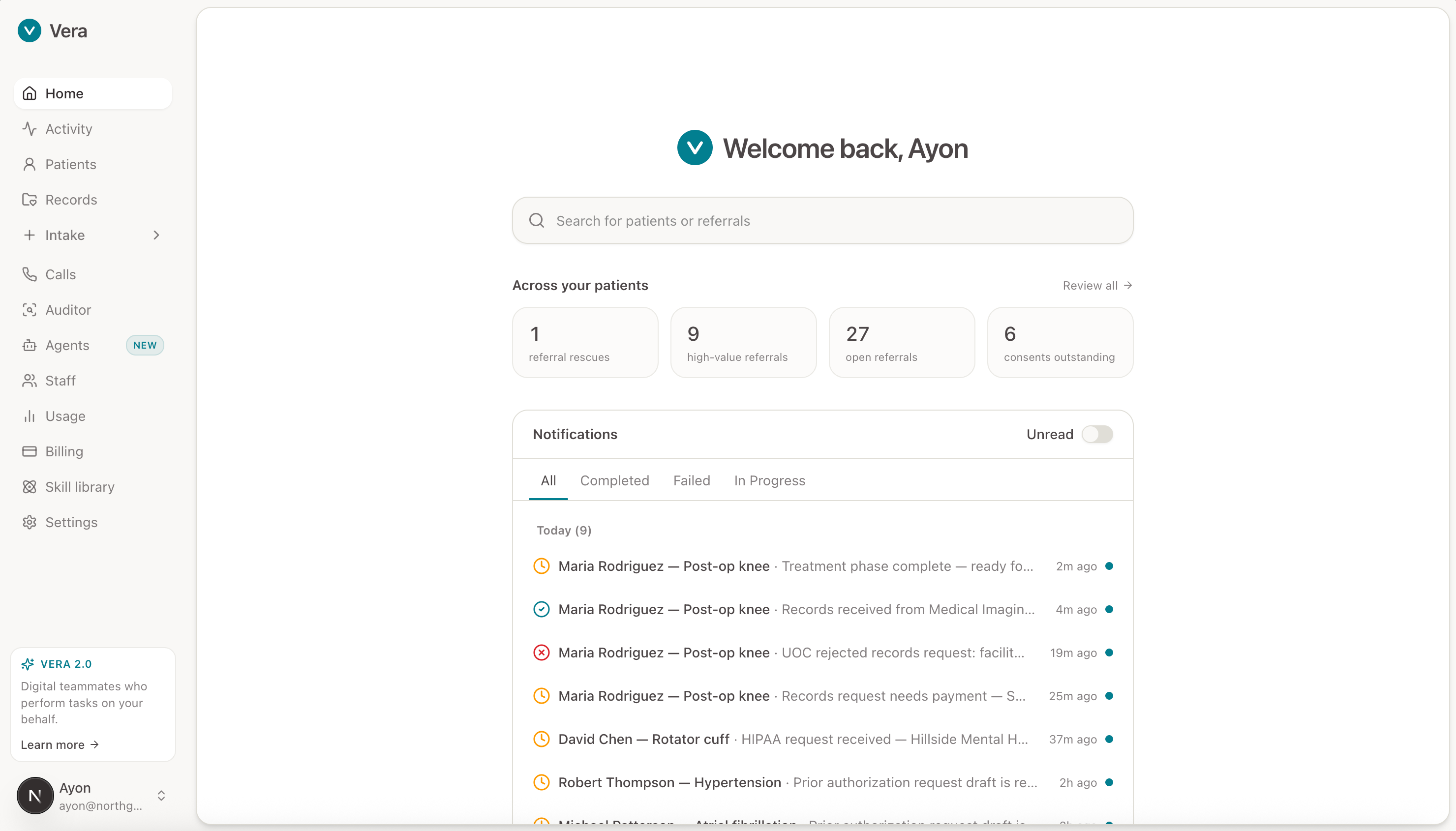
A: It’s a mix, but mostly no. Most of the designers on my team are using a sandbox prototyping environment that I created. It’s a replica of our actual app, but much simpler.
Our actual app has five or six microservices and a database it connects to. Even starting it up is complicated. If you’re trying to prototype in it, the engineers are pushing changes and migrations, and those break your prototype. There’s also a lot of context for your AI to chew on. My sandbox is very thin and very simple, so it’s easy for us as designers to run it, keep it up to date, do what we want with it, break it, and use fake data.
X: I’m sure people are curious about the things you’ve done with Claude Code or Cursor, if you can share a bit more.
A: I’d love to. I can show you a couple of different things.
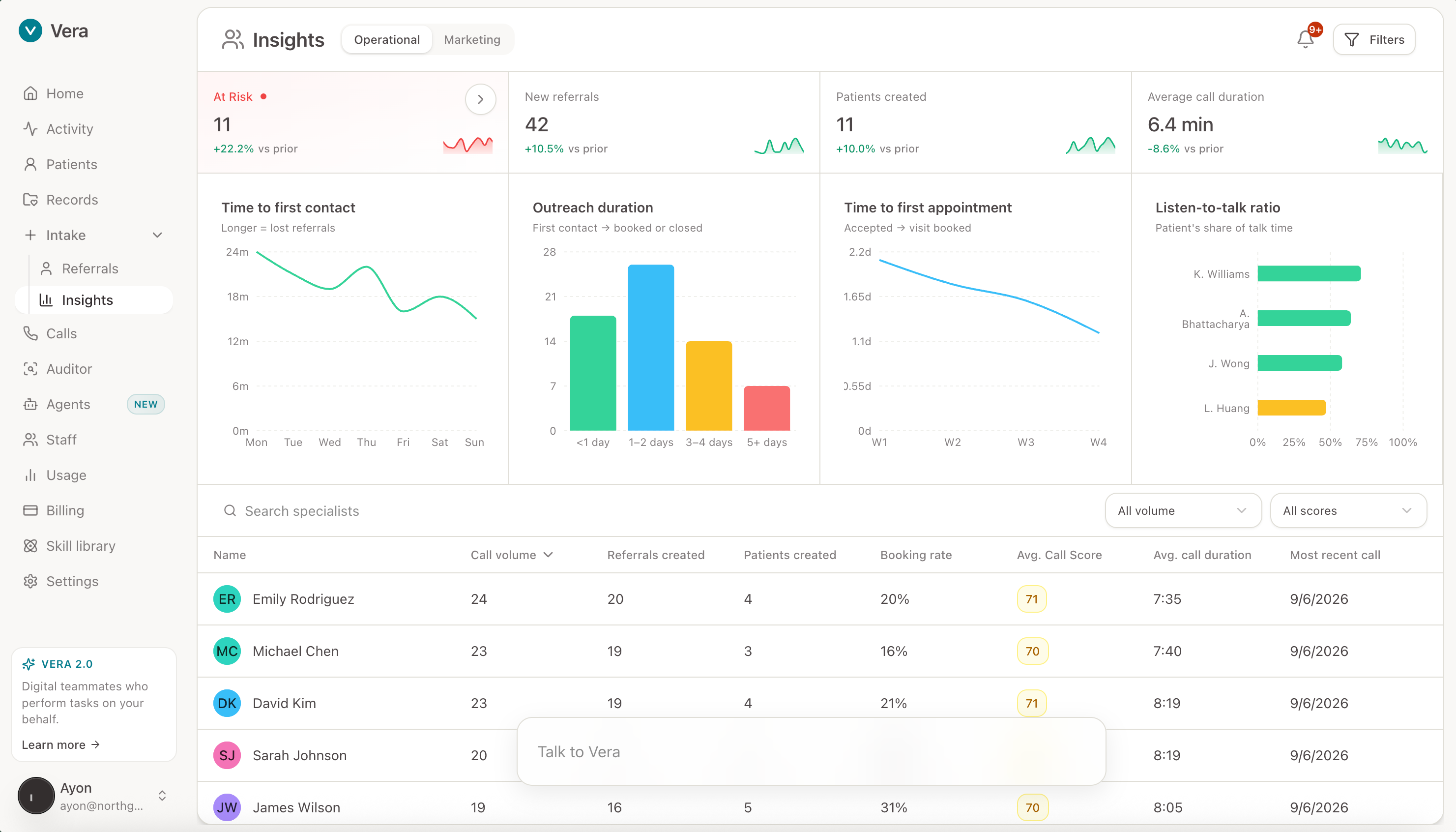
This would be one example. This is just a mock example of our sandbox environment, essentially a replica of our app. This insights page is an early example of something designed completely AI-first.
When we’re using Figma, we picture something and we try to create it. As we’re creating it, we learn, and we update our mental model of it. Designing with AI is essentially exactly the same. You picture what you want, you ask for it, the AI builds it, and you update your mental model based on what was created. Then you go back and forth until you converge on a design. So the idea that AI design isn’t design, or that there’s no craft to it, comes down to a question of who is putting the pixels down. The process is actually quite similar. It’s iteration based on what you imagined in the first place.
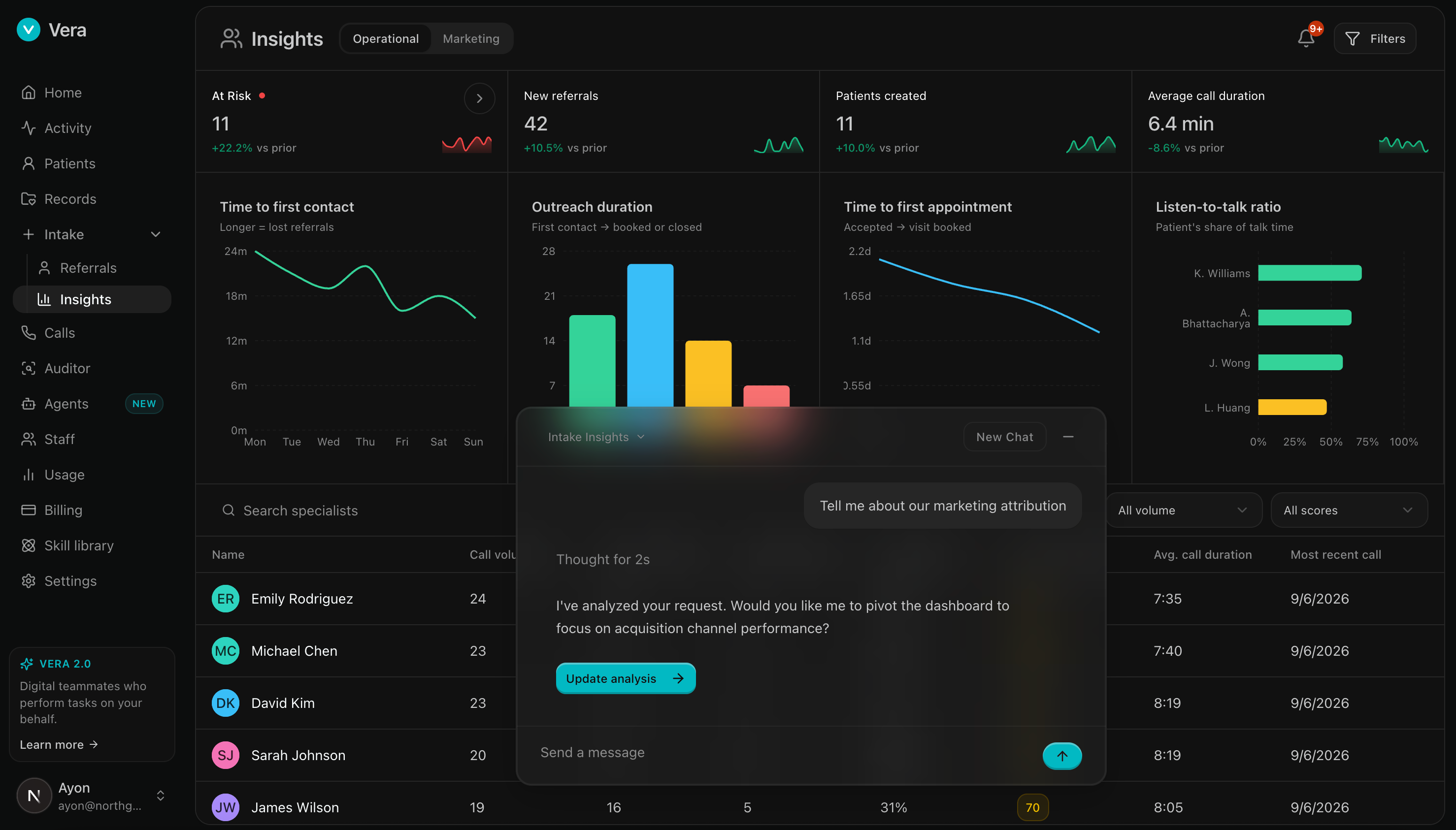
So what can you do with a prototype like this that’s very hard to do in Figma? Take this data visualization. In Figma, these are lines and squares, but they aren’t really backed by data. Here I can test all sorts of realistic data and all sorts of scenarios. I can search through this list of specialists. I can go and say, “Show me what marketing attribution looks like at our firm.” We’ll see whether this part of the prototype is up to date, but hopefully it is. I can model real chat-based experiences and very dynamic experiences.
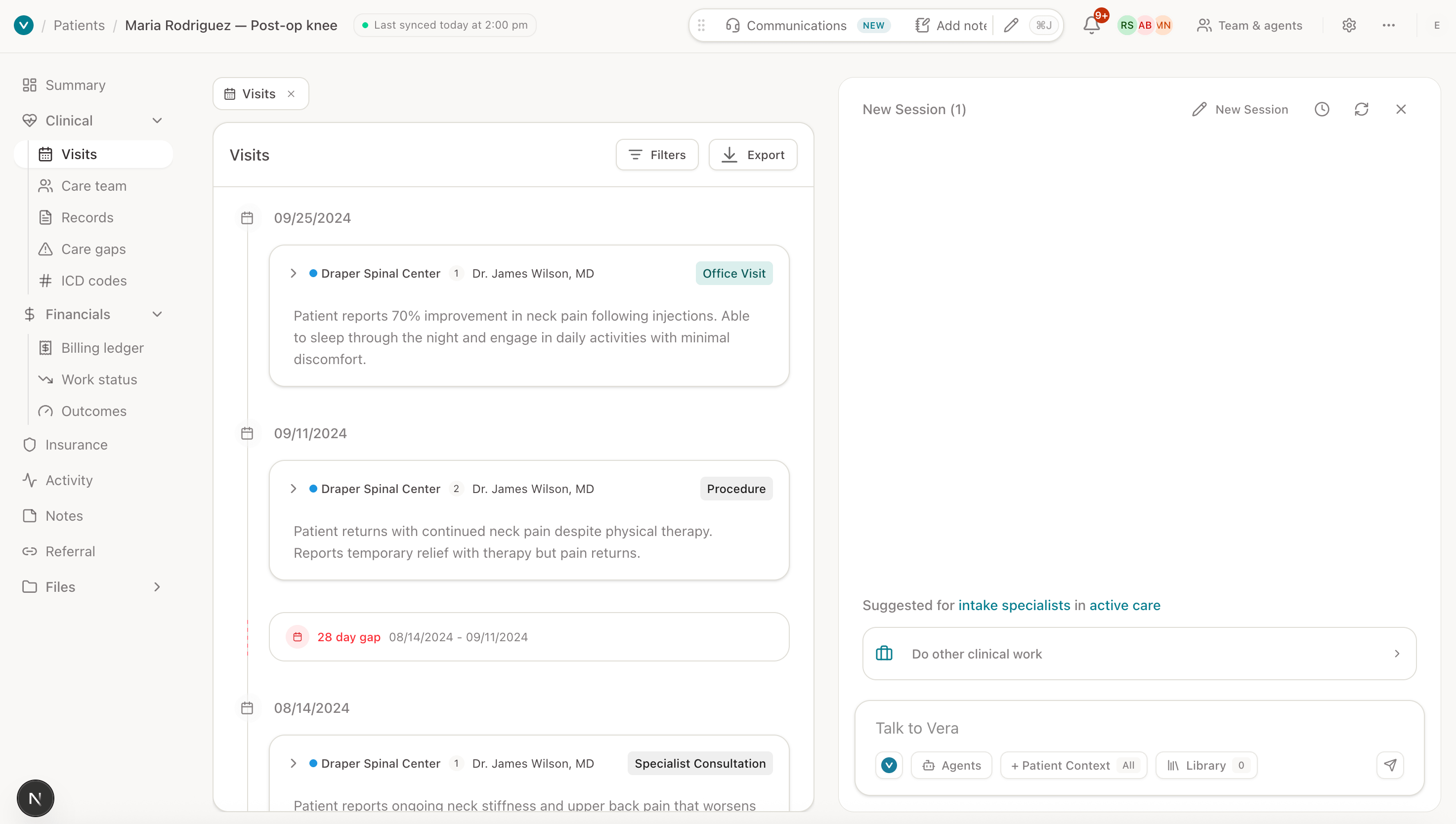
Another example of something that’s hard to do in Figma alone: the area I focus on at Eve is voice agents. With voice agents, you have a couple of different things at play. One is that the UI itself is quite dynamic. There are a lot of different states to it, and a lot of evolution between them. The other part is the voice agent itself. When you actually talk to the AI on the phone, what does it say? What is that experience like?
As a designer, that’s one of those areas you can get cut out of if you’re prototyping purely in Figma, and it’s a huge design question. The actual LLM interaction is a huge part of these AI experiences. If you’re prototyping in code, I can prototype the prompts, prototype the voice agent itself, and share that with the engineers.
One more thing: I have a little iOS app side project, a grappling journal. It has exactly one user: me. But the point is that it has a pretty interesting orchestration and sequencing of animations, and a background particle effect that’s quite field-based. So you can do very high-fidelity, high-craft design work without Figma or any canvas-based tool.
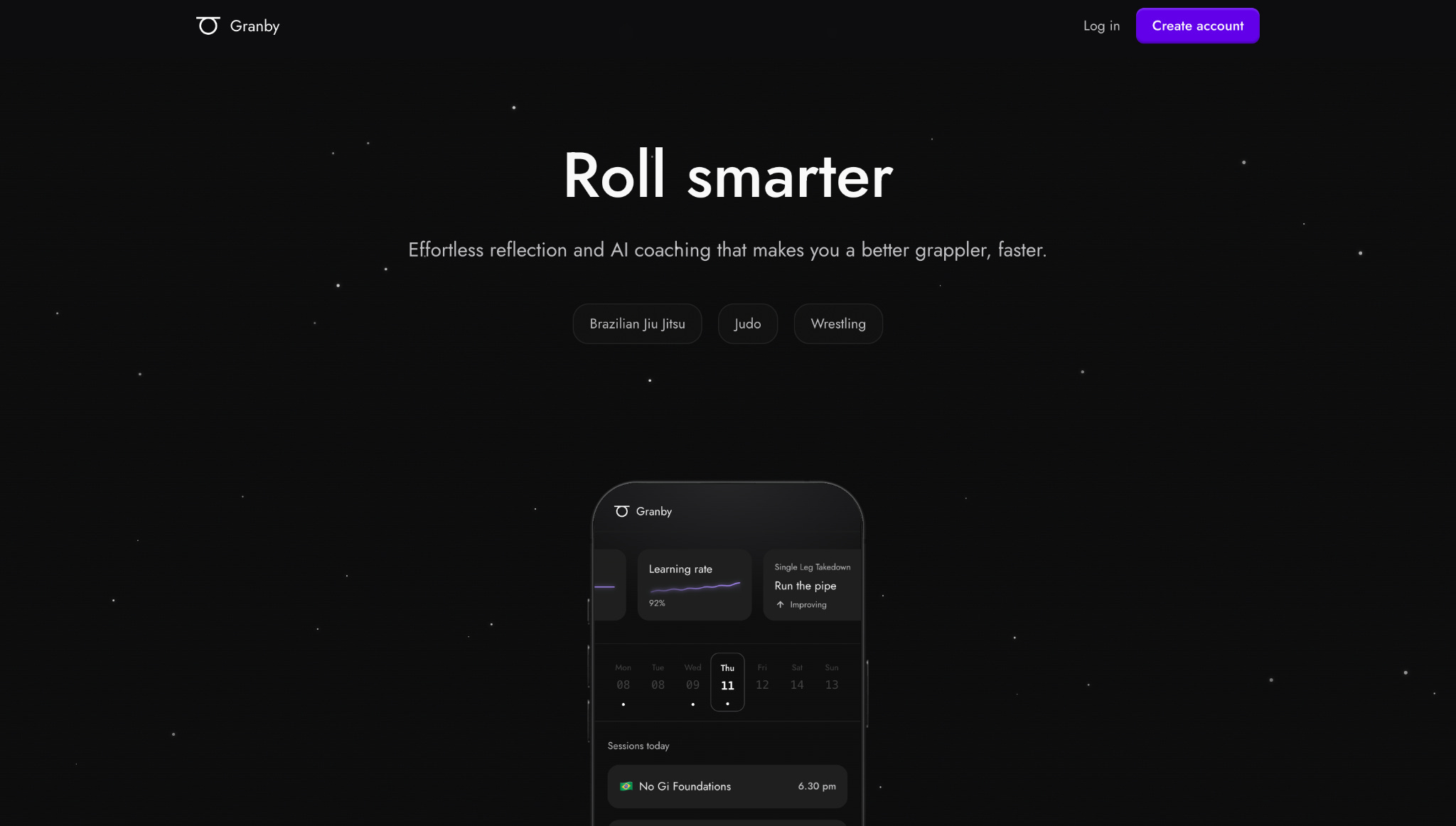
X: That’s a very high-craft app for one user :)
(You can watch more demos in the talk recording—From Mockups to Merged PRs: An AI-Native Designer’s Playbook)
Teaching a design team to work in code
X: Speaking of the sandbox, that leads to another thread. Designers on your team who aren’t as technical as you might find it challenging to use. How do you help them shift from designing in Figma to this kind of new environment?
A: The easy part is that once you have a code-based setup, it’s mostly just expressing in natural language what you want, looking at the output, and iterating from there.
The parts that take more explanation are things like: what is a good tech stack for a code-based prototyping environment? How do I model the data behind this experience? Where should we put it, or how do we fake it? How do we use Git? How do we run this app locally? How do we share it? How do we collaborate on it?
Those are the parts that take a little coaching and some concepts they have to understand. But most of the designers on the team have no technical background, and they’re all up and running, deploying their designs on Vercel, using Git, and doing complex AI-powered design work.
X: That’s impressive. Speaking of Git, a lot of people are intimidated by the concept. How do you and the designers on your team get used to version control, the way a developer would?
A: The cool thing about the AI era is that it’s very much concept first.
When I first learned Git, you had to memorize all these commands. They’re unintuitive, there’s a long list of them, and the commands have flags. What do all these different flags mean? You’re always afraid you’re going to break something.
What I like to do is take a visual, concept-first approach. How do we build intuition for the core concepts of Git and get some basic language around it? Then you can instruct the AI to run the commands for you. You get to shortcut a lot of the pain and frustration of how it used to be, where first you tried to memorize all the commands and then hopefully, along the way, learned the concepts underlying them.
Getting into the codebase for the first time
X: Any advice for designers who have never contributed to a codebase but want to start learning? For example, how should they start over the first 30 or 90 days?
A: For a lot of designers, the first step is simply getting access. The way I’d recommend doing that is to get to know and build a relationship with one or more of the developers on your team.
I’d suggest picking a tech lead. If you’re designing for a product area, take the tech lead for that area and just get a one-on-one going. Get coffee with them. I try to have coffee or lunch with a tech lead basically every week, for months or years at a time, but it won’t take you that long. Have a handful of one-on-ones, maybe up to three.
In the first one, don’t talk about work; just get to know them. In the second, understand their constraints, the pressures they’re under, and how they’re being graded. Then in the third, I’d broach it as: “Hey, I’m hearing that you have all these constraints. I want to understand the codebase better and get in there, so I can build things that will be easier for you to implement and create less work for you.”
You’re not asking to ship code yet. You’re just asking to download this thing locally and explore it. It should be an easy sell at that point, and it’s very non-threatening.
Then you get it locally. The next time you need to hand something off and there’s a design polish gap, you can go to them and say: “I know you have X, Y, and Z on your plate right now. I can create this doc for you. It’s going to take me a couple of hours, and then it’s going to take you a bunch of hours to implement. Or I can make very low-risk, small changes here, focusing on layout, alignment, typography, and color. That’ll be 80 to 90% of the work, and it’ll save me the time of creating the doc and save you the time of reading it and implementing it. What do you think? And you can share the engineering guardrails with me, plus the questions the AI and I need to be able to answer to contribute this.”
That would be my zero-to-permission pipeline.
Multi-agent workflows
X: Great tips. Let’s tap into another small thread: multi-agent workflows. I’ve seen you use them in workshops. What are the best use cases for spinning up a dynamic workflow in Claude, meaning multiple AI agents working at the same time? What tips would you offer?
A: To set that up: modern frontier models tend to get confused somewhere between 400,000 and 600,000 tokens. As you approach that threshold, quality starts to degrade.
So if you’re doing tasks that need millions of tokens, quality may be better preserved if you farm the work out to an army of sub-agents with defined roles. Sufficiently large-scale design projects are a good example, like a major new feature with different parts to it, or a design system audit where you go through the entire codebase and find all the places where elevation doesn’t comply with your design system rules. To the question here, replicating a production codebase to create a sandbox out of it is another good example.
An example might be: I go to Claude and say, “I want to create a sandbox environment out of our main codebase. Create an agent that will catalog all the major parts of the codebase and make a list.” Then, for each part of the codebase, have a handful of agents, up to five, go in and copy over just the relevant associated parts. Then have a verifier agent go back, compare the styling with screenshots, and make sure it’s the same.
That’s an example of something big and fairly formulaic, but large. It would be very hard to do in one session.
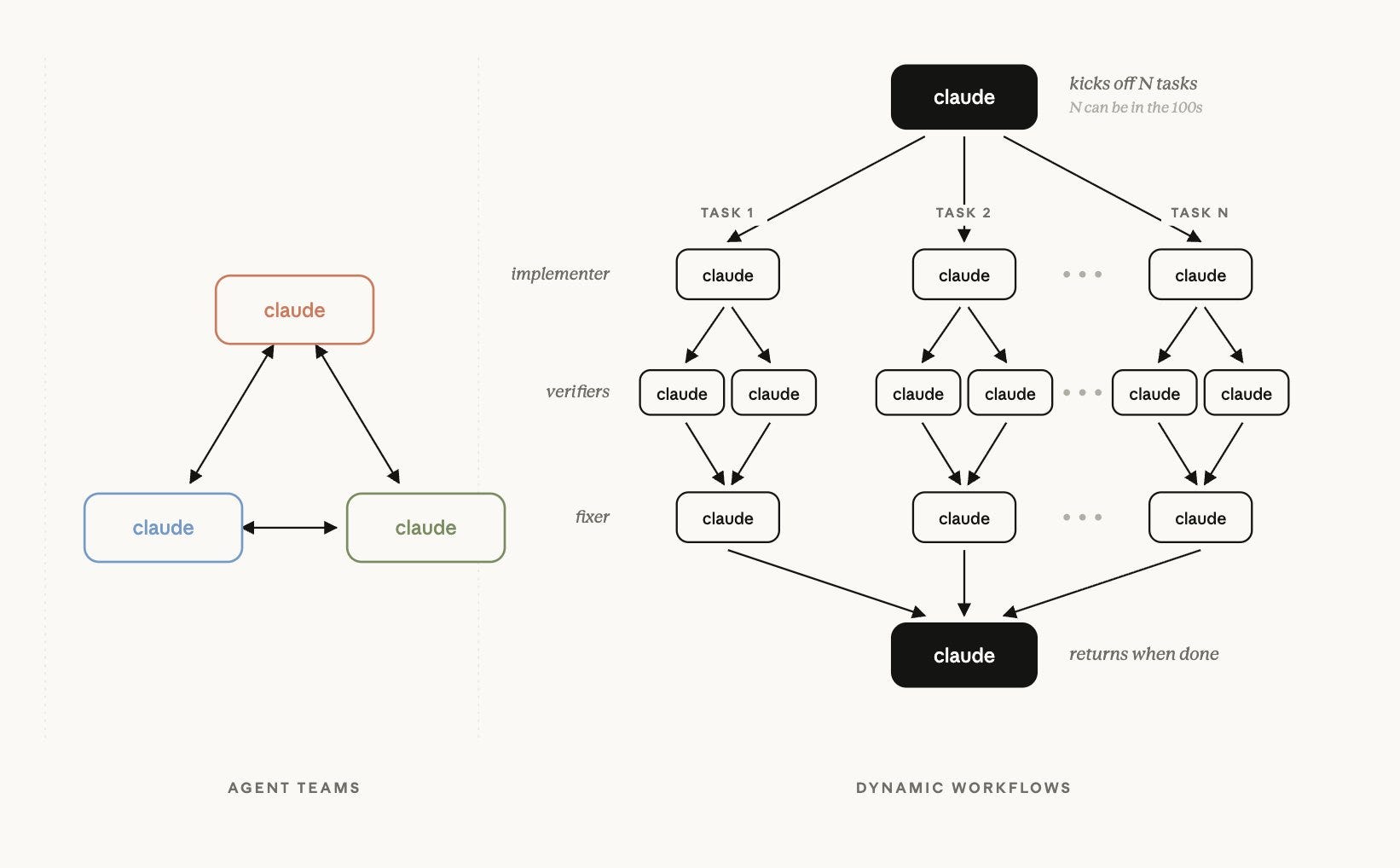
X: I think the guardrails are very important. You need to be explicit about the criteria for stopping the flow, to avoid consuming too many tokens.
A: 100%. You can also limit the number of agents; that helps. You can limit the number of phases; that helps too.
For workflows and dynamic workflows, I’d be careful about how smart a model you use. As I’ve said in previous workshops with you, I have burned through thousands of dollars by mistake, running workflows with Fable where I didn’t specify the number of agents. If you have 65 Fable agents running in parallel, it will cost you a lot of money. So limit the number of agents, be prescriptive about the phases, and use something like Sonnet, or Opus if you can afford it at your company.
AI and the future of design
X: Do you think the traditional design-handoff-to-engineering workflow will continue to exist, or do you see it evolving into something completely different within a few years?
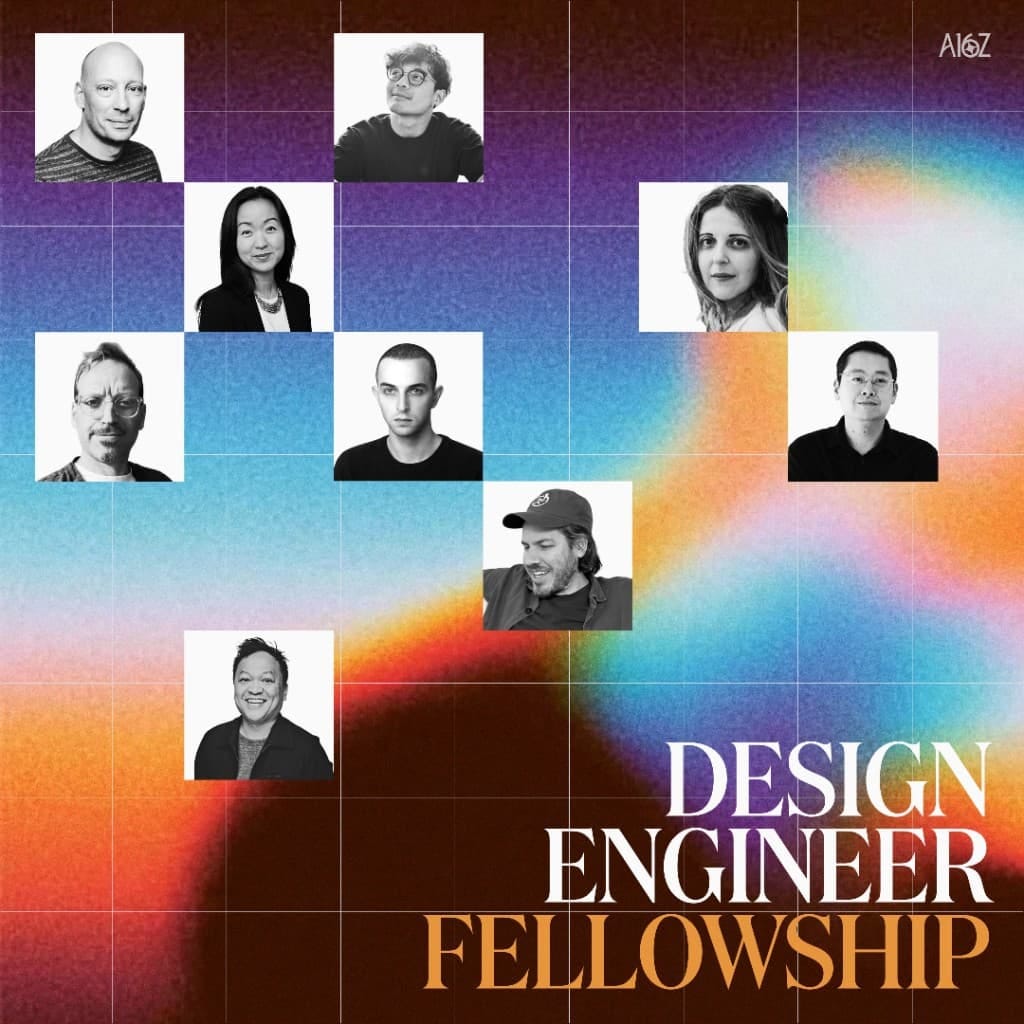
A: I’ve been doing a design engineer fellowship with a16z, and in that process I’ve seen what a lot of different teams are doing. What I’ve noticed is that it’s partly a function of company size.
If you take a company like Google, they have a lot of inertia. Smaller, more entrepreneurial teams within Google are shifting off Figma, but there’s no company-wide wholesale push. It’s more gradual. They see themselves moving off it, but it’s not going to be a light switch.
For startups, smaller companies, growth-stage companies, or agencies where it’s project to project and you can switch, I see a lot more movement toward AI-first approaches, because of the time pressure, because of the velocity, and honestly because of the ability to do bigger, more ambitious work with the leverage AI gives you.
X: You mentioned a16z. I saw the news that you joined the fellowship, which focuses on designers who have absorbed engineering into their craft and are thinking in systems, not just screens. Can you tell us more about it and what drew you to it?
A: The main thing that drew me to it is that I wanted to see what people’s workflows look like now. The fellowship is a mix of early employees at unicorn-type companies, founding designers, founders, and designers from big tech and frontier labs. I wanted to see what the cutting edge looks like across all of these different people.
It’s been interesting, and it’s a very wide range. Almost 100% of them are prototyping in code using AI tools. But some are doing local HTML files. Others are doing more of my approach, which is basically full-stack engineering for prototyping purposes, with a React or Next.js environment and deployment through Git. And then there’s a deep end of the pool where people are building compilers for design systems, or training AI models that output industrial design models. Very technical, very deep. That’s beyond my current skill set. But it’s interesting to see the full curve of what people are doing.
X: Any interesting insights or learnings you gained from it?
A: It feels very much like the tooling is changing. It’s also interesting to see the types of projects people are working on. There’s generative UI: interfaces where you can ask the interface to do something and it morphs into a different form. “I want to listen to a song,” and it becomes a music player. “I want to draft a document,” and it changes into a document drafting interface.
And then there are AI-native design systems. How do you build a design system that gets you higher-quality outputs when you’re using AI? How do you annotate the components and describe the patterns and paradigms in a way that’s AI-native, so the AI understands them and can produce good things?
Audience questions
X: Let’s get to the questions from the audience. I saw many in the chat, which is great. The first one: what’s your preferred design stack?
A: Claude Code, pretty much 100%, for me. But there are a lot of great tools out there. Cursor is pretty much equivalent to Claude Code.
One interesting thing about Cursor: Jenny Wen, the head of design there, was previously at Figma and then at Anthropic. She very much believes in AI-native design, but also in canvas-based tools. So I’d keep an eye on Cursor. We have no insider knowledge here, because they’re very tight-lipped, and we weren’t allowed to ask her any questions. But inferring from her background, I think they may build a really interesting canvas-and-AI-agent hybrid experience. That’s the promise of something like Paper or Claude Design. They’re well set up to build something very interesting there.
X: Next question: how would you recommend approaching building a playground as a non-technical person? My engineers are resistant to designers having access to the product codebase.
A: When I started building my sandbox environment, I’d take one thing. Say I’m working on the insights page. I’d just build that page to start, and then gradually build out additional pages. You can use Figma, you can use screenshots. You don’t necessarily need access to the production codebase to build the sandbox. That’s the cool thing about it: it’s completely permissionless. You can build whatever you want, and no one can really stop you.
In terms of accessing the production codebase, I’d first focus on why they’re resistant. There are a lot of possible reasons, but it often comes down to worrying that you’re going to create more work for them somehow, that you might break something, or that you’ll need a lot of handholding. Try to understand why, and the best way to do that is to build a relationship with one of the tech leads.
Sometimes that’s easier and sometimes harder, depending on the person. But it’s almost always possible with some patience, subordinating your ego, and taking the time.
X: More lunches help. Learning their favorite cuisines helps :) Next question: when you say you no longer use Figma, do you still use something like a
design.mdfile with all the rules, backed by a repo with all the components? Or do you actually start in Claude and Cursor?
A: We have a design sandbox environment that I built, but it isn’t one-to-one aligned with the production codebase.
We’ve talked about carving the component library off from the production codebase, publishing it, and then letting the sandbox consume it. But that’s a lot of engineering work, and the engineering team doesn’t have the bandwidth.
So I have this sandbox environment with a lot of components that are the same as or similar to the production codebase, and a set of styles that are the same or similar. I start there and use different Git branches for different features.
I have a claude.md file, and I do have a design.md file. As of recently, we also have an Eve design skill that our head of design and one of our design engineers have been working on.
The baseline is established by that core set of components and styles. Then design.md and claude.md instruct the agent on how to use those components. And the design skill comes in at the tail end to polish and refine further.
X: It’s understandable that the sandbox you build isn’t one-to-one with the actual production codebase, because even in Figma, things don’t match directly with what’s in production. It’s all about where you want the design source of truth to live. Next question: can you explain how you set up the sandbox?
A: It’s an asset that you build, and it provides more and more value over time. You grow it slowly. The next feature you need to build, get that into the sandbox environment. That’s your stake in the ground.
Then, as you build features going forward, you add the related parts of your existing app to your sandbox and build it out. For us, I started with the homepage and the insights page, and that was it. Eventually I built out the leads page, and then the page for individual leads. Now we pretty much have a full replica of the app.
If you want, you can use a dynamic workflow to go to your production app and create a full initial stab at a sandbox environment. One thing to be mindful of is that doing it gradually helps you ensure quality is high. You’re able to take each page as you build it and make sure it’s good and that it clicks. That matters, because if those pages are good, the subsequent design work gets easier. You can point at a page and say, “Look at how we did our charts on the insights page. Do them the same way on the usage page.” So I’d still say an incremental approach is not a bad thing.
X: It’s worth noting that you didn’t start from the very ground up, writing out the style guide or writing out how each component behaves. You started with an important page and iterated from there.
A: 100%. What you’re going to have to deliver for most teams is a feature. So starting with the feature and supporting that feature is very high ROI. Then, as you add features, you pull in the components relevant to each one, and gradually you grow your base of components and screens.
X: Next question: getting used to Git is one challenge; convincing devs, or setting up the right pipeline to work with them in Git, is another. How did you overcome that?
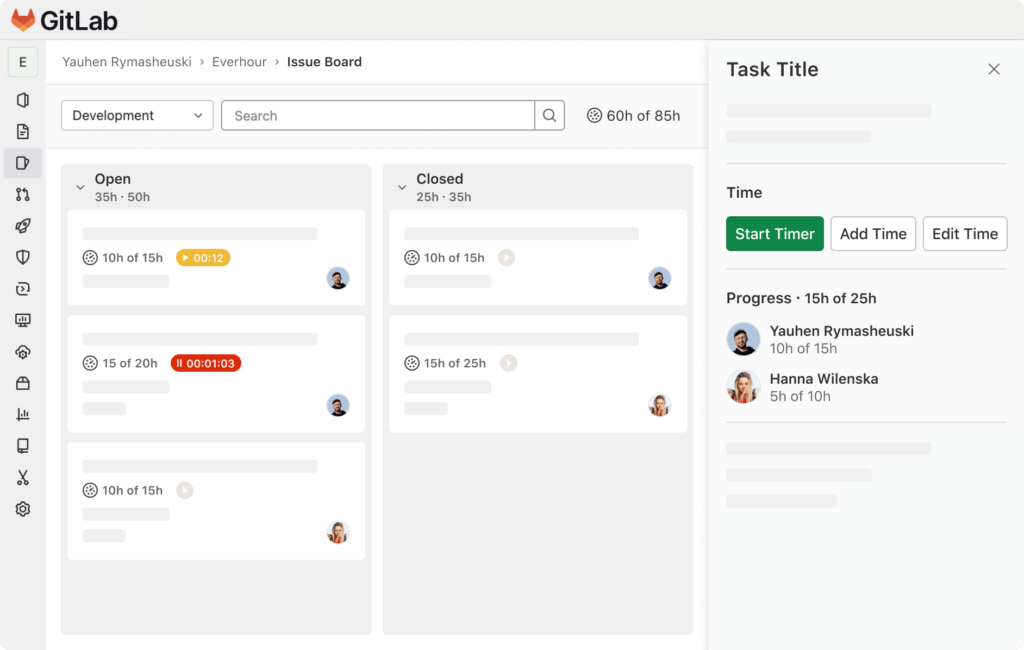
A: Our company is on GitLab, and at first I didn’t have access to it. So the sandbox is on GitHub, on my own free account. Again, nobody can stop you from doing that.
There are two uses of Git. One is contributing to the production codebase, and for that you do need to get some buy-in. The second is your sandbox environment: being able to deploy your work and share it with customers, or modify it and explore variations in parallel. You can use Git for that with no permission and no expense.
For access to the production codebase, there’s the relationship-building piece and how you frame the ask. And there’s another piece: expanding your scope over time, and knowing what a good-sized project is, one that’s not going to scare the engineers and that’s sound from an engineering standpoint. What are the engineering standards on this team?
X: It feels like a people management piece, aside from the technical piece.
A: Yes. The people management stuff can be tough, but it’s very important.
X: Next question: I have access to my dev, low-level, and Claude environments. Could I use Claude to examine and audit the lower-level environments, infrastructure, and data, and basically replicate it into a design sandbox without engineering supervision? I see that as a very quick and easy way to get started.
A: You’re totally right, it is a very quick and easy way to get started. That’s why I love the sandbox. By definition, it’s a playground for you to mess around in.
The only ways I can see this going wrong: if you’re looking at the production codebase and porting it over into the sandbox, I’d be careful to tell Claude to white-label the data and not bring any production data across. I’d also tell Claude strongly not to over-engineer, because this is a design prototyping environment. Keep it simple. Fake what you need to. Use a data directory with TypeScript data files.
And make sure you tell Claude not to port any secrets over from your production codebase to your sandbox. If there’s an environment file with secrets, you’re better off leaving those in the production codebase and not pulling them over.
X: I assume the sandbox is shared with other designers as well. How do you maintain it? If there are major updates in production, do you have to actively volunteer to update the sandbox? How do you manage that?
A: Generally, the way it’s worked for us is that whatever area of the app you’re touching, you bring up to parity with the production codebase and then extend it for your feature. So each person keeps their area of focus up to date.
You could automate it more, though. You could have a Claude Code routine that watches the production codebase for UI changes, does a design review on each change, and, if the change is reasonable and not terribly designed, automatically applies it to the sandbox. If it’s bad, it lets you know it happened and asks whether you want it applied. That’s something you can do to automate it further, but we haven’t.
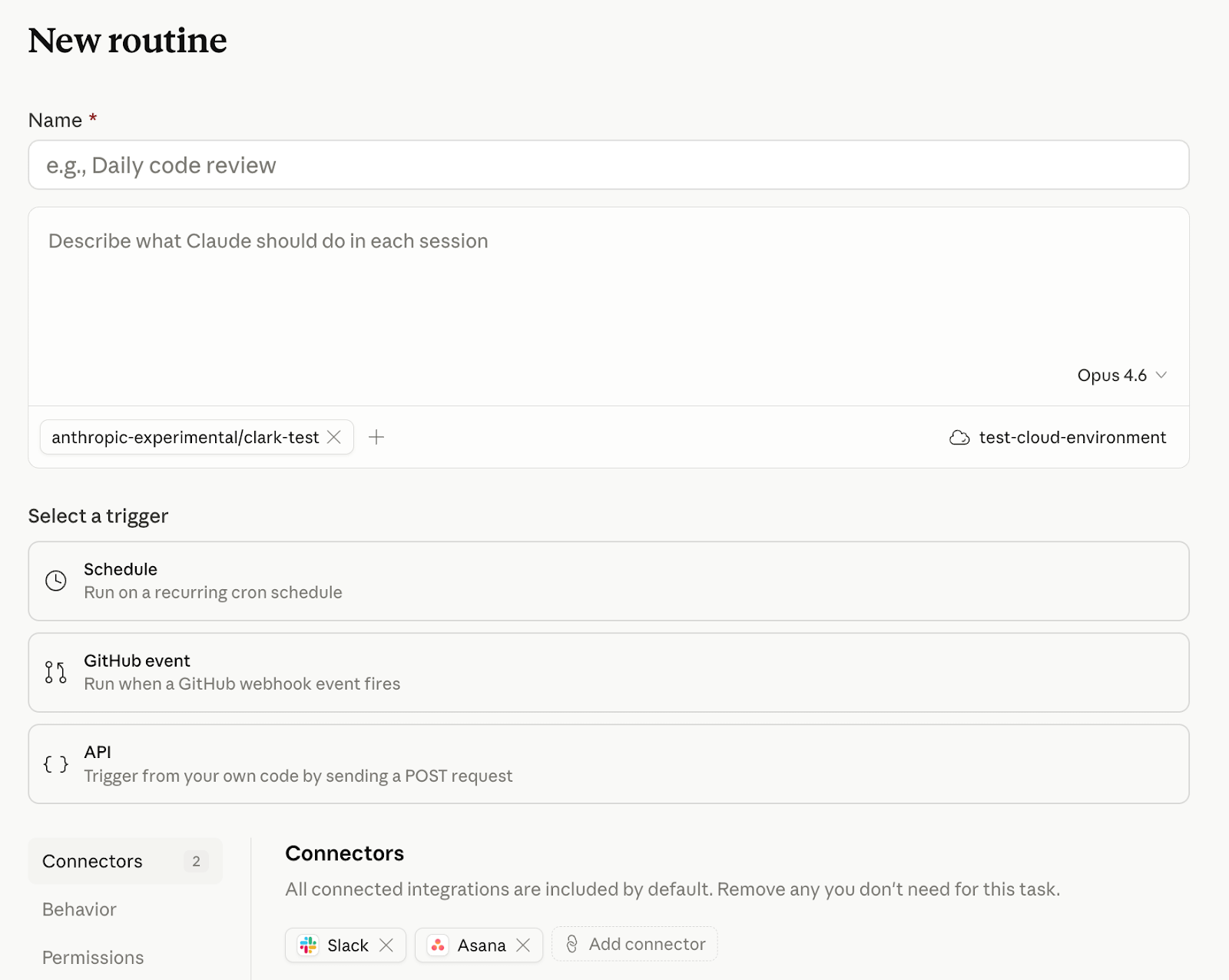
X: Next question: when you’re working on a project, do you predefine the agents yourself, for example asking Claude to create five agents with specific specialties that you can reuse, or do you just give Claude a task and let it decide what agents it needs?
A: It depends. For certain tasks, if I’m using sub-agents or workflows, I’ll be more prescriptive: here’s a cataloging agent that finds relevant product surfaces, here’s a heuristic analysis agent that analyzes them against design heuristics, here’s a synthesis agent. But most of the time I just let Claude decide what agents it needs.
X: Next question: Claude Code in the terminal, or Claude Code inside Cursor?
A: I’m a big fan of Claude Code in the terminal. I find it lighter weight, faster, easier, and quicker to reason about. I know a lot of designers don’t like it at all, both the terminal and Claude Code within the terminal. I don’t think it’s mandatory. Over time, as you get more comfortable with the terminal and start to work faster in it, you may want to switch. But I also think you can get 95% of the value out of Claude Code on the desktop.
X: Next question: can or should designers practice code reviews as a way to maintain the design sandbox?
A: Generally, no. Or rather, code reviews for designers should be more experiential and visually oriented, in the sandbox. If you want to be disciplined about it and you have a team with multiple people, maybe there’s a merge request review process where the MR or PR description is a video or screenshots.
You can also use tools like InFlight to have a preview deployment, gather feedback on the code-based prototype, iterate on it, and then get it approved. So in the way of traditional code reviews, I’d say no.
But there’s another question: should designers become code reviewers in the production environment? To that, I’d say yes. The best place to start is reviewing the visuals and the experience. An engineer ships something with no design help; you have a Claude Code routine that lets you know someone has shipped a front-end change in your product area with no design help. You get tagged, you come look at it, run the codebase locally, and share feedback. That’s possibly an opportunity to say, “I can just ship this code and clean this up for you, save you the time.” That could be your wedge to start building trust, and then own bigger and bigger pieces of actual production code.
X: Speaking of code review, say a designer adds a feature on their end and pushes it to the sandbox’s main repo. Who reviews it?
A: In the sandbox environment, right now we’re very light on reviews. We mostly merge to main pretty rarely; we mostly fork off and work in side branches. If something is merged to main, I review it right now.
But thinking from scratch, if a design team were going to implement this from the beginning, what I’d suggest is having senior designers or design leadership be the reviewers on what goes into main. Once a project is shipped, or about to be shipped and ready for handoff, merge that into main.
X: Next question: do you also use Codex? And where is the sandbox hosted?
A: I used Codex for a time, when Fable wasn’t available. They kind of yanked Fable. There was all that controversy where Dario was telling everyone the AI was going to take over, and then the government said, “Well, that sounds dangerous,” and they yanked it. So GPT-5.6 was the best model at that point, and I used Codex for that period.
I think Codex is great. But with Claude Design, Claude Code desktop, and the browser built in, I think Claude Code is better for design overall. Cursor is probably second for me, but it’s a little expensive if you’re going to use frontier models in it. Codex is great, and GPT models in general are really good. I just don’t like the UX as much, though it’s close enough. That would be my stack ranking.
As for where the sandbox is hosted: we use Vercel, because it’s easy and painless. If you take one of my courses or workshops, that’s what I’d suggest you use. You’re also welcome to use Netlify or any hosting provider you feel comfortable with. But Vercel is great, and I do recommend it.
The course
X: That’s good. You mentioned you’re teaching a course on Maven. Could you talk a little more about that?
A: The course is called Technically Dangerous. It’s targeted mostly at designers, though PMs are welcome too, and it helps you prototype, automate, and ship like a builder.
The outcomes: go from Figma to fully interactive, complex code-based prototypes with no technical background. Build complex AI features using advanced Claude Code techniques. You’ll also learn about APIs and how to create very rich, fully interactive experiences. You’re going to learn Git and deploy the prototype you built via a shareable link, so you can share it with employers and impress your design colleagues.
Then you’re going to pull down and explore an unfamiliar codebase, learn about it, and understand how to investigate one. And then you’ll ship real code: go through the whole MR process, get a code review from an engineer, answer the review, work your way through it, and ship. That codebase is a video game right now, so people find it pretty fun.
There’s also an optional module where we get hands-on with Claude Design, Paper, and Impeccable. Some people find that last 20% a bit slow, so these tools can help those folks. I’ve added one more optional module: backend engineering for designers. The reason I added it is that a lot of my students want to ship their own side projects, so they don’t just want front-end knowledge. They also want to know whether they should build a server or use serverless functions, what database to use, what to build versus buy, and what the security risks are. So there’s an optional hour-and-a-half module on backend engineering, and you’ll build a Node.js service connected to your prototype.
And again, if you have zero technical background, I’ll still help you get there. The shape of the course is five live build sessions, three projects plus the bonus project, and 51 lessons, along with one-on-one coaching to help you get what you want out of it.
This is a testimonial. One of the things she appreciated is that the course covers a lot of the unwritten rules engineers care about, which help you get through some of that resistance and rejection of your contributions. I explain some of the psychology behind it and the ways I’ve found to deal with it. The cohort starts September 8.
X: That’s amazing. Thank you for sharing. Very exciting. I saw a new comment in the chat. She’s interested in hearing more about designing with code. Maybe we can do another talk sometime on other topics, more tactical stuff and examples.
A: 100%, I’d love to. By the way, this little book thing is also designed without Figma; it’s designed purely in code. Let me show you, just because it’s kind of neat, this little animation. If you go to my site, you can enjoy that as well.
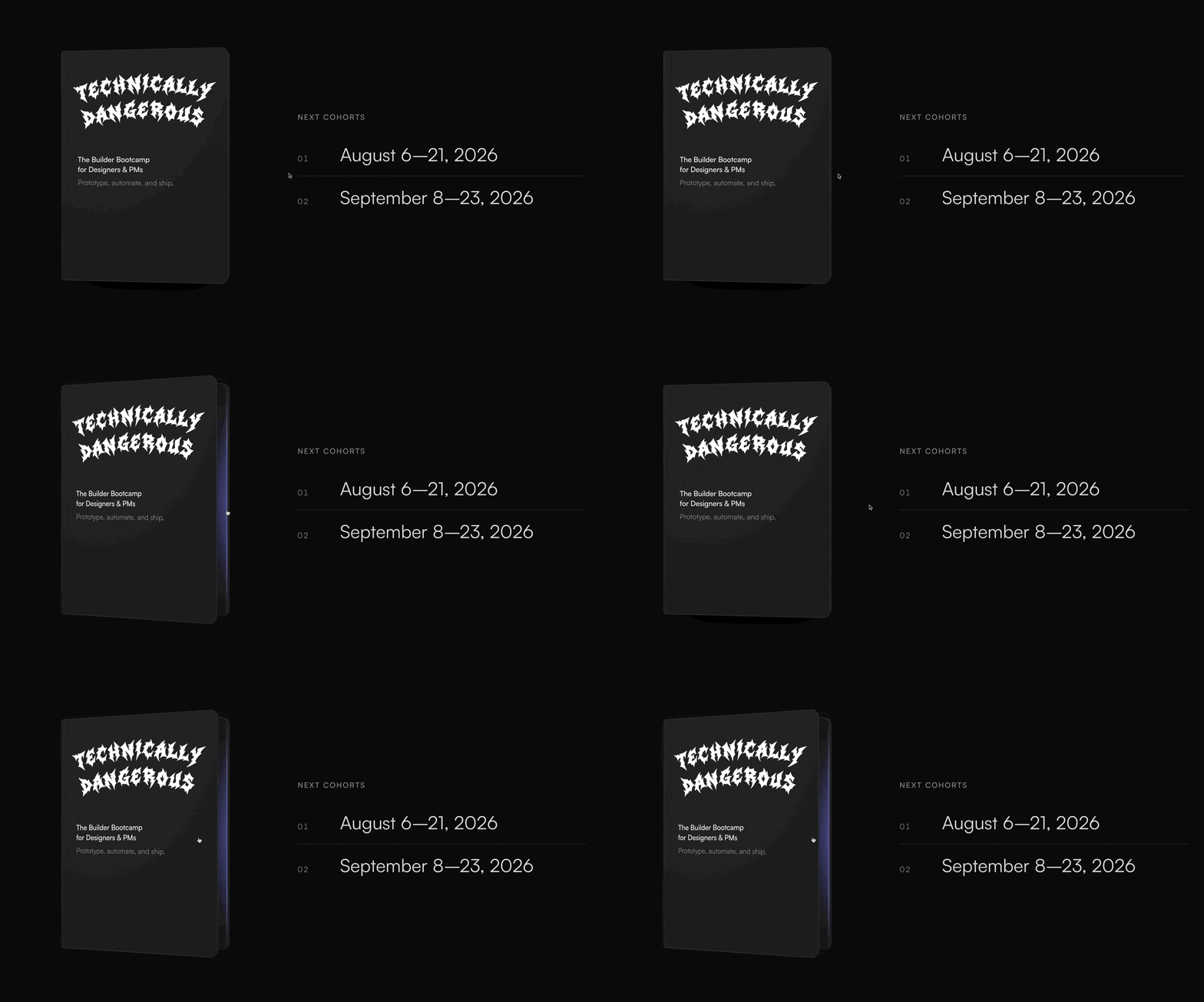
X: I did not know it’s actually interactive.
A: It’s pretty fun, right?
X: Yes, it is. Alright. Thank you all for joining. For those of you based in the US, hope you have a wonderful Labor Day long weekend. And for those outside the US, hope you have a great weekend.
A: Thank you so much for coming, and thanks for your awesome questions.
That’s it for this week.
I host talks like this from time to time, so if you’re interested in doing a fireside-style interview in front of an audience, let me know.
You can always find me on LinkedIn.
Xinran
The sandbox seems like the key detail here. Working directly in code is only faster when the environment is small enough to understand, break, and reset without carrying the whole production system with it. It also changes what a prototype can test: not just whether the screens make sense, but how the interaction behaves with real states and responses.
Insightful 👌🏾👌🏾